

The Billing Gaps That Hurt Cash Flow in Traffic Service Operations
Let’s be honest. Is there anything more ironic than running a traffic service operation where the only thing not moving is your cash flow? You ensure vehicles flow smoothly, but back at the office, your invoices are stuck in a bumper-to-bumper jam. It’s frustrating!
Here’s the thing: cash flow problems rarely start with “bad” customers. They usually begin with tiny, annoying billing gaps, the missed paperwork, the lost invoice, or the approval sitting in someone’s inbox.
These little hiccups stretch your payment cycle from 30 days to a nerve-wracking 60 or 90. And we all know that payroll and fuel costs don’t wait.
So, grab a coffee, and let’s break down the common billing gaps hurting your wallet and how to fix them so you can get paid faster than you can say “road closure.”
Why is billing such a headache in traffic services?
If you feel like billing is harder for you than for the guy running a landscaping business, you aren’t crazy. Traffic service work is complicated!
You’ve got municipal contracts that need to be signed in triplicate (slight exaggeration, but barely), strict safety windows, and about five different people who need to give a thumbs-up before a dime gets released. Even when you do the job perfectly, the billing can fall apart faster than a cheap umbrella in a storm.
Here’s why it’s tough:
- Scheduling Nightmares: You’re working around road access and permits.
- Surprise Changes: Work orders change on-site because… well, traffic happens.
- Paperwork Mountains: Invoices need proof of work, photos, and compliance notes.
- Slow-Mo Clients: Public sector and utility clients aren’t exactly known for speed.
Without tight systems, these variables create massive gaps between “Job Done” and “Check in Hand.” Let’s look at the big offenders.
Gap 1: The “I’ll Do It Later” Syndrome (Delayed Job Closeout)
This is the classic Friday afternoon trap. Your technician finishes a signal repair at 3 PM on Friday. They’re thinking about the weekend, not paperwork. So, the job notes don’t get submitted until Tuesday. Boom, your invoicing is already behind schedule.
It happens for a few reasons:
- Technicians forget to finalize the details.
- Service notes are half-baked and need office follow-up.
- You’re waiting on a supervisor to give the green light.
Every day of delay pushes your payday further out. It’s like leaving dirty dishes in the sink; the longer they sit, the harder they are to clean up.
The Fix: You need a digital nudge. Tools like Field Promax let you standardize digital work orders so technicians have to fill out the required fields before they can close the job. It’s a simple guardrail that ensures jobs are ready to bill the same day they’re done. No more chasing techs for details!
Gap 2: Invoices That Are Vague (And Get Ignored)
Imagine getting a bill from a mechanic that just said, “Car fixed: $500.” You’d have questions, right? Well, your clients are the same way.
If you send an invoice that says “Signal Maintenance,” you’re practically begging for a dispute. Traffic service clients love clarity. They need to know the labor, the scope, and the exact dates.
Disputes happen when:
- Line items look like guesswork.
- Job locations are unclear.
- The dates on the invoice don’t match the work logs.
When a client kicks an invoice back for clarification, your payment stops cold.
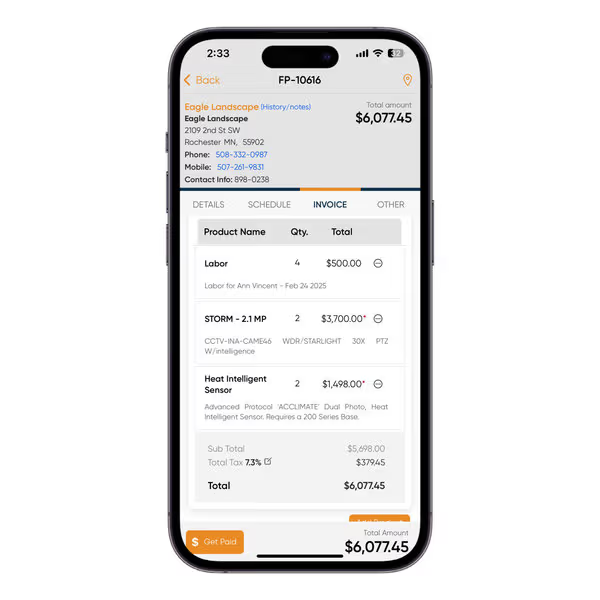
The Fix: Let technology do the heavy lifting. Modern field service platforms can pull job details directly into your invoices. If your tech notes, timestamps, and photos flow automatically from the field to your bill, you send out a clean, professional invoice every time. It cuts out the back-and-forth emails and gets you approved faster.
Gap 3: The “Freebie” Work (Unbilled Changes)
This one hurts my soul a little bit. How often does a crew go out for a simple inspection, only for a city engineer to walk up and ask, “Hey, while you’re here, can you swap out this component too?”
Your crew does it because they’re helpful. But what if that extra work isn’t logged? You just did it for free.
This happens when:
- Extra work is agreed to with a handshake, not a pen.
- Field notes are messy or hard to read.
- The office staff has no clue the scope changed.
Over a year, this can add up to thousands of dollars in lost revenue. That’s a new truck! Or a really, really nice office party.
The Fix: Document everything in real time. If a tech logs the added task right there on their mobile device and flags it for billing, nothing slips through the cracks. Field Promax makes this super easy by letting teams add work to the same job record. It ensures you get paid for every nut and bolt you install.
Gap 4: The Approval Bottleneck
We’ve all been there. The work is done, the invoice is drafted… and now it sits. And sits. And sits.
You’re waiting for a supervisor to sign off, or a client approval is stuck because an attachment is missing. If your approval process takes five days, your payment is delayed five days. It’s simple math that hurts your bank account.
The Fix: Stop using email for approvals! It’s a black hole where requests go to die. Teams that streamline approvals inside their service management system move way faster. When approvals are just part of the job closeout flow, you can generate invoices almost immediately.
Gap 5: Flying Blind (Poor Visibility)
Do you know exactly which invoices are outstanding right now? And more importantly, do you know why?
If you’re just looking at a total “receivables” number without knowing the details, you’re flying blind. You might miss a billing error that could have been fixed weeks ago, or you might realize too late that a client never received their bill.
The Fix: You need a dashboard, my friend. When your office team can see invoice status, aging, and notes all in one place, they can stop playing detective. Platforms like Field Promax centralize this so you aren’t digging through spreadsheets to find answers.
Gap 6: The “Wild West” of Crew Processes
In traffic ops, you often have that one “A-Team” crew that submits perfect notes and photos. Then you have the other crew who submits… Well, let’s just say it’s a mystery wrapped in a riddle.
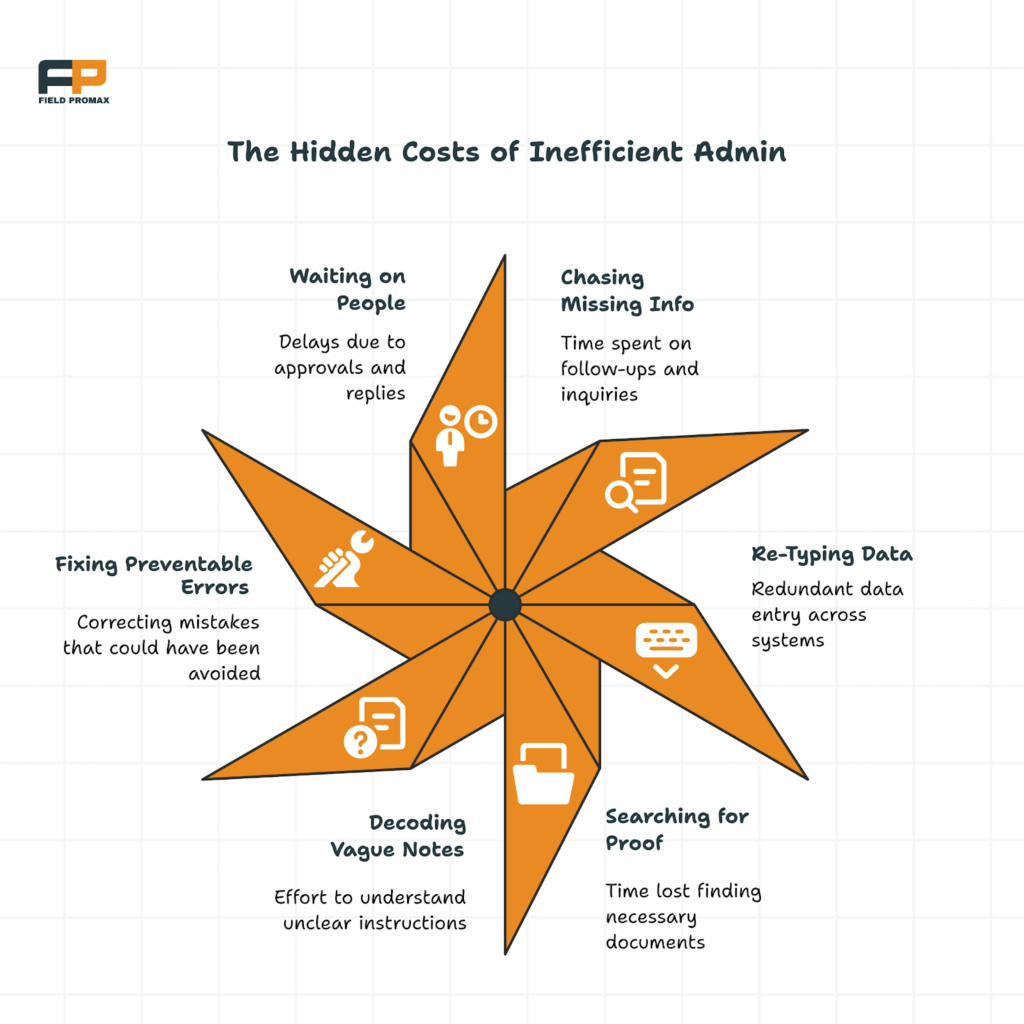
Inconsistent processes lead to inconsistent invoices. It means your office staff has to spend hours fixing mistakes and chasing down info, which slows everything down.
The Fix: Templates are your best friend. Standardizing how jobs are documented sets the expectation for everyone, rookie or pro. It creates consistency without you having to micromanage every single technician.
A Quick Checklist to Clear the Jam
If your cash flow feels tighter than a new pair of work boots, try these steps:
- Require Same-Day Closeout: Make it a rule. No closeout, no going home (okay, maybe not that harsh, but you get the point).
- Standardize Notes: Use templates so you get the data you need.
- Capture Changes: If the scope changes, log it immediately.
- Streamline Approvals: Get them out of your email inbox.
- Weekly Check-ins: Look at your invoice status every single week.
None of this requires hiring more people. It just requires a better structure and maybe the right software partner.
Turn Your Cash Flow Green
Look, billing gaps aren’t happening because you aren’t working hard. We know you’re busting your hump out there. The issue is that traffic service work is complex, and old-school billing processes looking at you, paper and clipboards just can’t keep up.
Closing these gaps means fewer surprises, a steady flow of cash, and a lot less stress when payroll rolls around.
Many contractors are turning to tools like Field Promax not because they just love buying software, but because they want their billing to finally reflect the hard work they do every day. When your billing runs smoothly, cash flow stops being a constant worry and starts becoming a strength.
Ready to get your cash flow moving again? Stop letting your hard-earned money sit in traffic!
Frequently Asked Questions
What causes the biggest billing delays in traffic service operations?
Honestly? It’s usually the paperwork. When technicians don’t close out jobs the same day or miss details like location or service notes, the office team gets stuck. Even a one-day delay in the field can add weeks to your payment timeline with strict clients.
How can I speed up invoicing without hiring more office staff?
The secret sauce is tightening your process, not your payroll. Standardize your job closeouts and use digital work orders. Automation tools like Field Promax move job data from the field to billing instantly, removing manual data entry and the errors that come with it.
Why do my invoices get disputed so often?
Usually, it’s because they aren’t clear enough. If an invoice is vague or the dates don’t match up perfectly, clients get suspicious. Detailed job records that are tied directly to your invoices help prevent those awkward “What is this charge for?” conversations.
How often should I look at outstanding invoices?
At least once a week! Treat it like checking your oil. Regular reviews help you catch issues like missing approvals before they turn into massive cash flow disasters.
Read More Informative Information At Mypasokey