
Passkeys & Passwordless Login: Secure, Easy Authentication
What Is a Passkey and How Does It Work?
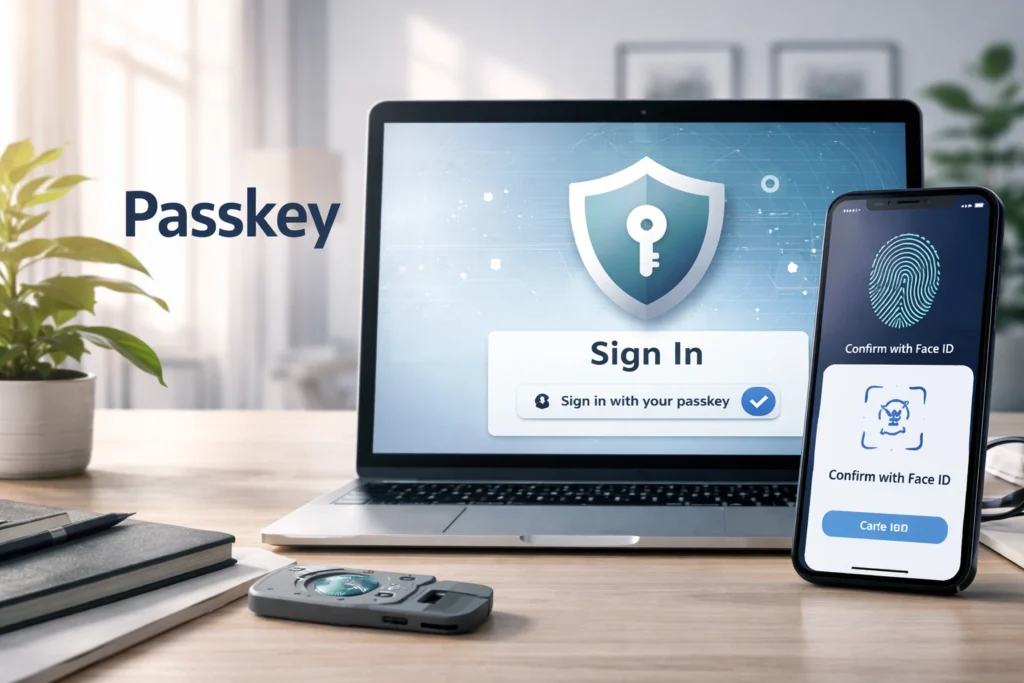
A passkey is a modern authentication method designed to replace traditional passwords with something far more secure and user-friendly. Instead of typing a password, a passkey lets you sign in using a device you already trust, such as your smartphone, laptop, or tablet, through biometrics like Face ID, fingerprint recognition, or a device PIN.
Behind the scenes, passkeys rely on public key cryptography, which means your secret login credential is never stored on a server. Instead, your device creates a pair of cryptographic keys: one public and one private. The public key is shared with the website or app, while the private key stays securely stored on your device.
When you log in, your device proves your identity by signing a cryptographic challenge. No shared secret. And No password database. No reusable credentials. That’s why passkeys are considered phishing-resistant and significantly more secure than traditional passwords.
Why Passkeys Are Replacing Traditional Passwords
Passwords have been the default authentication method for decades, but they were never built for today’s threat landscape. Most users reuse passwords, create weak combinations, or rely on memory instead of security. As a result, data breaches, phishing attacks, and credential stuffing have become common security risks.
Passkeys eliminate these weaknesses by removing the password entirely. There’s nothing to remember, nothing to reuse, and nothing for attackers to steal from a centralized database. Even if a company experiences a data breach, attackers cannot extract usable login credentials because private keys never leave user devices.
For users, this means faster logins and fewer reset requests. For businesses, it reduces account takeover fraud and support costs. That combination of stronger security and better usability is why passkeys are rapidly becoming the new standard in authentication.
How Passwordless Login Works (Step-by-Step Guide)
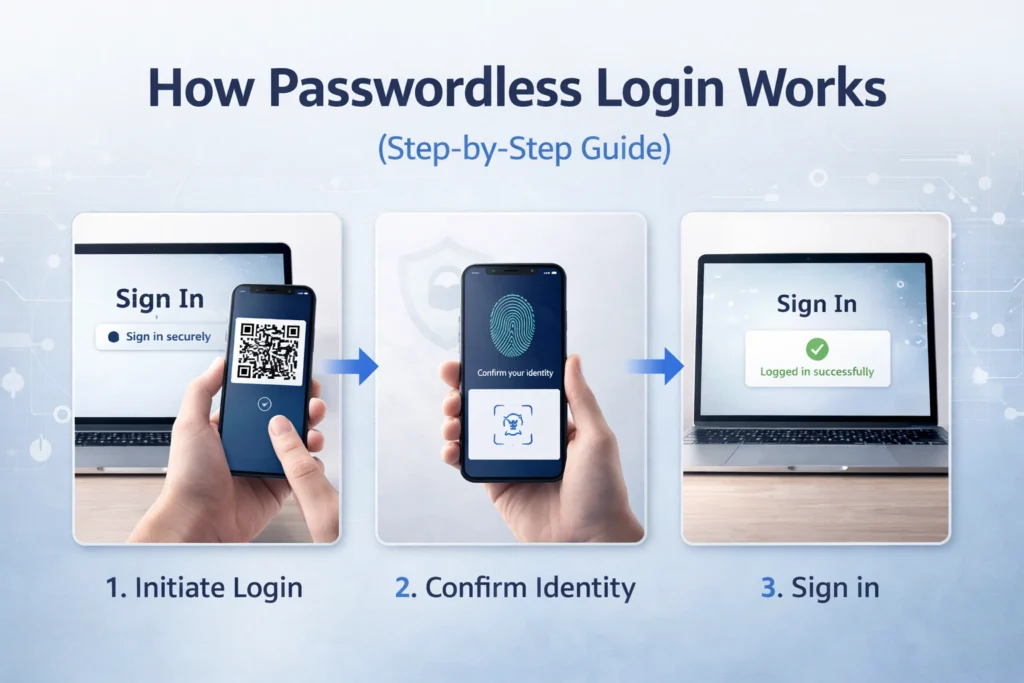
Passwordless login using passkeys happens in two main phases: registration and authentication. The process may look simple on the surface, but it is built on strong cryptographic foundations.
When you create an account or enable a passkey, your device generates a unique key pair specifically for that website or app. The public key is stored on the server, while the private key remains protected inside your device’s secure hardware environment.
Later, when you return to log in, the server sends a random cryptographic challenge. Your device signs that challenge using the private key after verifying your identity via biometrics or PIN. The server verifies the signature using the stored public key, granting access if everything matches.
At no point is a password transmitted, stored, or reused.
You Might also Like: MataRecycler Explained: Smart AI-Powered Recycling Solution
Passkey Registration Process
The registration process begins when a website or app prompts you to create a passkey. Your device generates a unique public and private key pair specifically for that service. After confirming your identity using biometrics or a device PIN, the public key is sent to the server while the private key remains securely stored on your device, never shared externally.
Passkey Authentication Process
During authentication, the server sends a random challenge to your device. After you verify your identity, your device signs the challenge using the private key. The server validates this signature with the stored public key. If the cryptographic verification succeeds, access is granted without transmitting or exposing any secret credentials.
The Technology Behind Passkeys (FIDO2 & WebAuthn)
Passkeys are built on open authentication standards developed to eliminate password-based vulnerabilities. The two key technologies behind them are FIDO2 and WebAuthn. Together, they define how devices, browsers, and servers communicate securely during the authentication process.
FIDO2 provides the overall framework for passwordless authentication, ensuring interoperability across platforms and devices. WebAuthn, which is a web standard supported by major browsers, enables websites to interact with authenticators like smartphones or security keys.
Because these standards are open and widely supported, passkeys work across different operating systems and browsers. This interoperability ensures users can securely log in without being locked into a single ecosystem while maintaining strong cryptographic protection.
Public and Private Key Cryptography
Public key cryptography relies on two mathematically linked keys. The public key is stored on the server and can be shared safely. The private key stays securely on the user’s device and cannot be extracted. Authentication works by using the private key to sign a challenge that the public key can verify, ensuring secure, tamper-proof identity validation.
Passkeys vs Passwords: Key Security Differences
Traditional passwords depend on shared secrets. You create a password, store it on a server, and reuse it across multiple services, even if you try not to. That shared-secret model is the core weakness. If attackers steal a database, they can attempt to crack hashed passwords or reuse exposed credentials elsewhere.
Passkeys eliminate shared secrets entirely. Every account receives a unique cryptographic key pair. The private key never leaves the user’s device, and the public key alone cannot be used to log in. There’s nothing reusable, guessable, or phishable. That structural difference fundamentally changes how authentication security works.
Are Passkeys Really More Secure?
Yes but understanding why requires looking at the threat model. Most cyberattacks today rely on phishing, credential stuffing, brute force attacks, or database breaches. All of these target passwords.
Passkeys neutralize these attack vectors because there is no password to steal, guess, or reuse. Even if an attacker tricks a user into visiting a fake website, the passkey simply won’t work because it’s cryptographically tied to the legitimate domain. Additionally, private keys remain locked inside secure device hardware, reducing the risk of remote extraction.
Security improves not because users behave better, but because the system design is stronger.
How Passkeys Prevent Phishing and Data Breaches
Phishing attacks succeed when users unknowingly type their passwords into fake websites. Passkeys eliminate this risk by binding credentials to specific domains. If you attempt to log into a lookalike site, your device will not authenticate because the domain does not match the original registration.
Data breaches also lose their impact. When companies store passwords, even hashed versions can sometimes be cracked. With passkeys, servers only store public keys, which are useless for authentication on their own. There’s no central password database to exploit, dramatically reducing breach-related damage.
Where Passkeys Are Stored and How They Sync
Passkeys are stored securely on user devices, typically inside hardware-backed security modules such as secure enclaves or trusted platform modules. These environments protect private keys from being extracted, even by advanced malware.
Many ecosystems also allow passkeys to sync securely across devices using an encrypted cloud infrastructure. This means if you create a passkey on your phone, you may be able to use it on your laptop as well. Synchronization maintains usability while preserving end-to-end encryption, ensuring that even cloud providers cannot access your private keys.
Cloud-Synced vs Device-Bound Passkeys
Cloud-synced passkeys offer convenience by allowing credentials to move seamlessly between devices under the same ecosystem. Device-bound passkeys, on the other hand, remain tied to a single piece of hardware for maximum isolation.
Synced passkeys improve user experience and recovery options, while device-bound credentials provide stricter control. The right choice often depends on security requirements and user flexibility.
Cross-Device Login with Passkeys
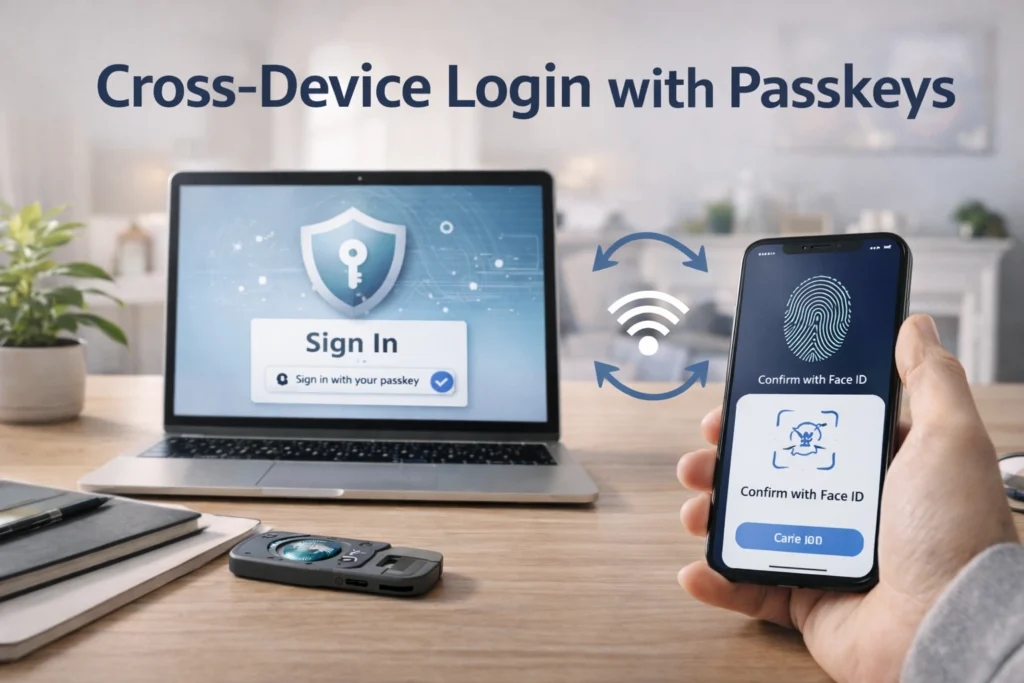
Cross-device authentication allows you to sign in on one device using a passkey stored on another. For example, you might log into a website on your desktop by scanning a QR code with your smartphone.
In this flow, the desktop never receives the private key. Instead, your phone verifies your identity and signs the authentication challenge locally. The response is securely transmitted back to the server. This design preserves cryptographic integrity while offering seamless login experiences across platforms and operating systems.
You Might also Like: How Secure Is Public WiFi? Risks, Safety Tips & Best Practices
Supported Devices, Browsers, and Platforms
Passkeys are supported across major operating systems, browsers, and technology ecosystems, making them increasingly practical for everyday use. Companies like Apple, Google, and Microsoft have integrated passkey functionality directly into their platforms. Modern browsers such as Google Chrome, Safari, and Microsoft Edge fully support WebAuthn-based authentication.
Mobile platforms, including iOS and Android allow users to create and sync passkeys seamlessly. On desktops, Windows 11 and macOS offer built-in support. This broad compatibility ensures users can adopt passwordless authentication without switching devices or ecosystems.
What Happens If You Lose Your Device?
Device loss is one of the most common concerns about passkeys. Since private keys are stored on your device, users often wonder whether losing a phone or laptop means losing account access permanently. Fortunately, modern ecosystems address this with encrypted cloud synchronization and account recovery options.
If your passkeys are synced across devices, you can regain access by signing into your ecosystem account on a new device and restoring credentials. For device-bound passkeys, recovery may involve secondary authentication factors or backup security keys.
Passkeys are designed to reduce risk without increasing lockout frustration.
Benefits and Limitations of Passkeys
Passkeys offer significant advantages over traditional authentication methods. They reduce phishing risk, eliminate password reuse, and simplify the login experience. Users no longer have to memorize complicated passwords or go through the hassle of recovering forgotten login details. Login becomes as simple as verifying identity with biometrics or a device PIN.
However, adoption still faces challenges. Some legacy systems do not yet support passkeys, and cross-platform interoperability can vary depending on ecosystem policies. Additionally, users must understand recovery options to avoid account access issues.
Despite these limitations, the security and usability improvements are substantial.
How Businesses Can Implement Passkey Authentication
For organizations, implementing passkeys requires updating authentication infrastructure to support FIDO2 and WebAuthn standards. Many identity providers and authentication platforms now offer built-in passkey support, reducing the need for custom development.
Businesses should begin with a phased rollout, allowing users to register passkeys alongside existing login methods before transitioning fully to passwordless authentication. Clear communication and user education are essential for smooth adoption.
From a security perspective, passkeys significantly reduce account takeover attacks, support costs, and password reset requests, creating measurable operational benefits.
The Future of Passwordless Authentication
The shift toward passwordless authentication is accelerating as cybersecurity threats evolve. Passkeys represent a structural improvement, not just a user interface change. By eliminating shared secrets and relying on cryptographic proof instead, they redefine how identity verification works online.
As more services adopt passkeys, passwords may gradually become optional or even obsolete for mainstream users. Enterprises are already moving toward passwordless-first strategies to strengthen their security posture and improve user experience.
While passwords may not disappear overnight, passkeys are clearly shaping the future of digital authentication.
FAQs About Passkeys and Passwordless Login
1. What is a passkey?
A passkey is a passwordless login method that uses cryptographic keys and device authentication instead of a traditional password.
2. How does a passkey work?
It uses a private key stored on your device to sign a secure challenge from a website without sharing any secrets.
3. Are passkeys safer than passwords?
Yes, passkeys are phishing-resistant and cannot be reused or stolen from a server database.
4. Do passkeys use biometrics?
Hmm Yes, biometrics like Face ID or fingerprint unlock the private key, but are never shared with websites.
5. passkeys Can be hacked?
They are extremely difficult to hack because private keys never leave your device.
Read More Informative Information At Mypasokey