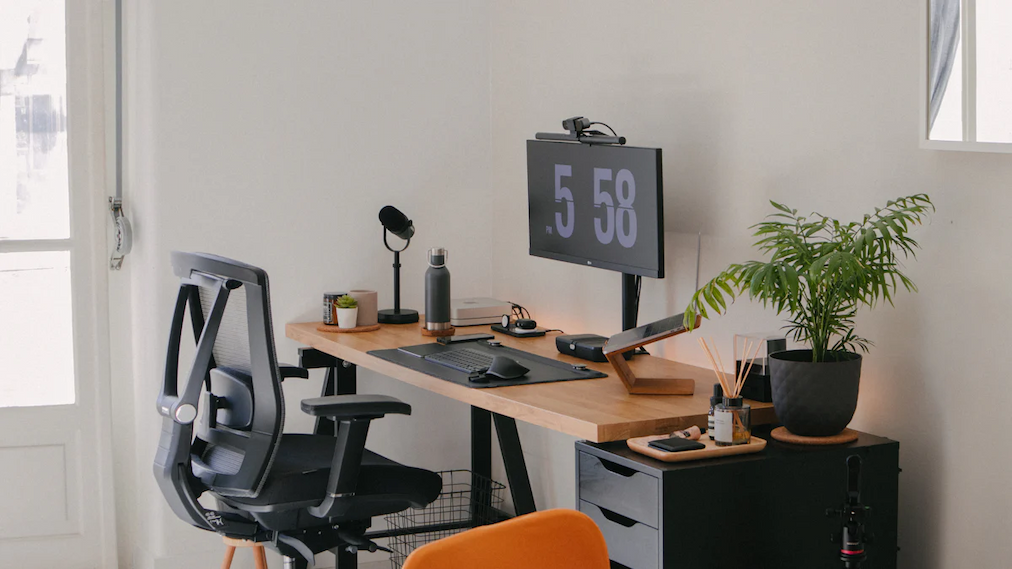

Best Tech Gadgets for Home Office Setup (2026 Guide)
Introduction to a Smart Home Office Setup
Working from home is no longer a temporary trend; it’s a long-term reality for professionals across the globe. A smart home office setup goes beyond a basic desk and laptop. It’s about using the right tech gadgets to create a workspace that supports focus, comfort, and efficiency. When your tools work smoothly, your productivity naturally improves. From faster devices to ergonomic accessories, smart tech reduces distractions and physical strain. In this guide, we’ll explore the best tech gadgets that transform a simple room into a high-performing home office designed for modern work demands.
Why Tech Gadgets Matter for Home Office Productivity
Tech gadgets play a critical role in how efficiently you work from home. Slow devices, poor audio, or uncomfortable setups can break concentration and waste valuable time. On the other hand, productivity-focused gadgets help streamline tasks, improve communication, and reduce mental fatigue. A high-quality monitor, responsive input devices, and reliable connectivity allow you to work faster and smarter. The right technology also minimizes technical frustrations, letting you focus on actual work instead of fixing problems. Simply put, better tools lead to better results in a home office environment.
Core Computing Devices for Home Office
Your computing device is the backbone of your home office setup. Whether you’re handling documents, video meetings, or creative tasks, performance matters. A powerful system ensures smooth multitasking, quick file access, and reliable software performance. Choosing the right device depends on your work type, daily workload, and future needs. Investing in a capable computer helps prevent lag, overheating, and constant upgrades. A well-selected system not only improves productivity but also supports long-term efficiency, making it one of the most important tech decisions for any remote professional.
Laptop vs Desktop – Which One is Better for Remote Work?
Laptops offer flexibility and portability, making them ideal for professionals who work from multiple locations. Desktops, however, deliver stronger performance, better cooling, and easier upgrades. If mobility matters, a laptop is the smarter choice. If power, screen size, and long working hours are priorities, a desktop setup often provides better value. Your work style should guide the decision.
Best Monitors for Home Office Work
A good monitor can dramatically change how you work from home. Larger screens reduce eye strain and make multitasking easier by allowing multiple windows at once. High-resolution displays deliver sharper text and clearer visuals, which is essential for long working hours. Monitors also help maintain better posture by positioning content at eye level. Whether you’re coding, designing, or managing spreadsheets, the right monitor improves efficiency and comfort. Upgrading from a laptop screen to a dedicated monitor is one of the fastest ways to boost home office productivity.
Dual Monitor vs Ultrawide Monitor Setup
Dual monitors offer flexibility by separating tasks across two screens, while ultrawide monitors provide a seamless, distraction-free workspace. Dual setups work well for multitasking, whereas ultrawide screens are excellent for creative and analytical work. Both options improve workflow compared to single displays, and the choice depends on desk space and work preference.
Ergonomic Keyboard and Mouse for Long Working Hours
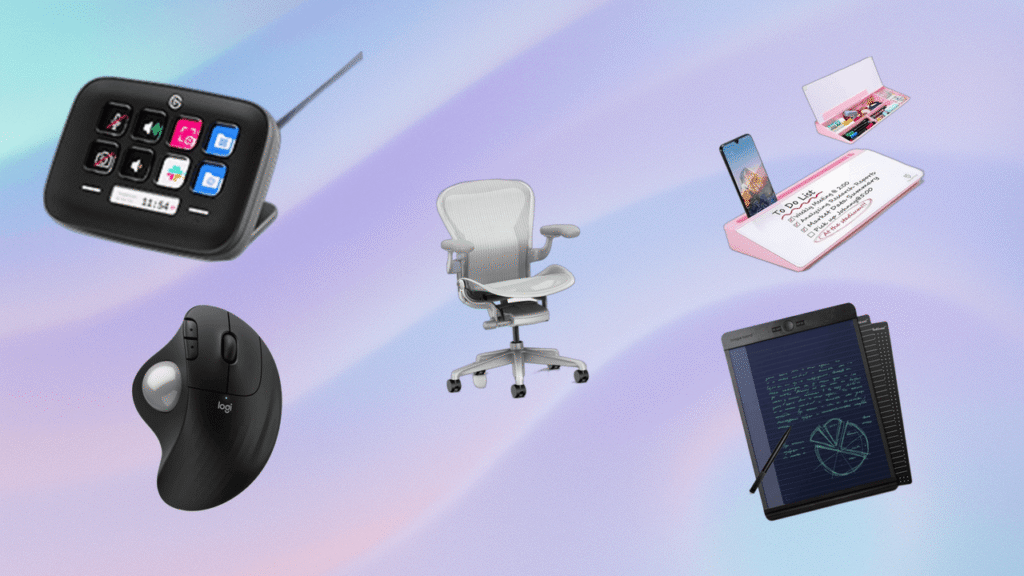
Spending hours typing and clicking can take a toll on your hands and wrists. Ergonomic keyboards and mice are designed to reduce strain and support natural hand movement. These devices help prevent discomfort and long-term injuries such as wrist pain or carpal tunnel syndrome. Comfortable input tools also improve typing speed and accuracy, making daily tasks feel easier. For anyone working full-time from home, upgrading to ergonomic peripherals is a smart investment that supports both productivity and long-term health.
You Might also Like Future of Artificial Intelligence in Daily Life | Trends & Impact
Mechanical vs Ergonomic Keyboards
Mechanical keyboards offer tactile feedback and durability, making them popular among heavy typists. Ergonomic keyboards focus on comfort by promoting natural wrist alignment. If speed and feedback matter, mechanical keyboards work well. If comfort and health are the priority, ergonomic designs are the better long-term choice.
Webcams and Video Conferencing Gadgets
Video calls are a daily part of remote work, making webcams and conferencing gadgets essential. A high-quality webcam ensures clear visuals and a professional presence during meetings. Built-in laptop cameras often lack sharpness and struggle in low light. External webcams provide better resolution, wider angles, and improved color accuracy. Combined with proper lighting and audio tools, they help you communicate confidently. Clear video not only improves collaboration but also builds trust with clients and teammates in a remote work environment.
Features to Look for in a Home Office Webcam
When choosing a webcam, focus on resolution, frame rate, and low-light performance. Autofocus and wide field-of-view are also important for natural framing. Noise-reducing microphones and easy mounting options add extra convenience for daily video meetings.
Audio Gadgets for Clear Communication
Clear audio is just as important as good visuals in a home office setup. Poor sound quality can lead to misunderstandings, repeated conversations, and meeting fatigue. Audio gadgets like dedicated headsets, microphones, and speakers help maintain professional communication during calls. They reduce background noise and ensure your voice sounds natural and crisp. High-quality audio tools also make long meetings less tiring, especially when working full-time from home. Investing in reliable audio gadgets improves collaboration, saves time, and creates a more polished remote working experience.
Noise-Canceling Headphones vs Office Headsets
Noise-canceling headphones block external sounds, making them ideal for busy or shared environments. Office headsets focus more on voice clarity and comfort during long calls. If distractions are a problem, noise-canceling headphones are better. For frequent meetings and calls, office headsets offer balanced performance and all-day comfort.
Desk Lighting and Smart Lighting Solutions
Lighting plays a major role in comfort, focus, and eye health while working from home. Smart desk lamps and adjustable lighting solutions allow you to control brightness and color temperature throughout the day. Warm light works well for relaxed tasks, while cool light improves focus during intensive work. Proper lighting also enhances video call appearance. A well-lit workspace creates a comfortable environment that supports long working hours without unnecessary fatigue.
High-Speed Internet and Networking Gadgets
A stable and fast internet connection is the backbone of any home office. Slow or unreliable internet can interrupt meetings, delay uploads, and reduce overall efficiency. Modern networking gadgets like Wi-Fi 6 routers and mesh systems ensure consistent coverage and higher speeds. Wired connections also provide stability for demanding tasks. Reliable networking tools reduce downtime and frustration, allowing you to work smoothly throughout the day. Upgrading your internet setup is one of the most impactful improvements you can make to your home office.
Docking Stations and USB Hubs for Cable Management
Docking stations and USB hubs simplify your workspace by connecting multiple devices through a single port. They eliminate cable clutter and make switching between devices effortless. With one connection, you can power your laptop, connect monitors, keyboards, storage devices, and more. This not only saves time but also keeps your desk clean and organized. For professionals using laptops, docking stations are essential for creating a desktop-like experience without constant plugging and unplugging.
Power Backup and Surge Protection Devices
Power issues can disrupt work and damage expensive equipment. Power backup and surge protection devices help safeguard your home office setup. Surge protectors shield devices from sudden voltage spikes, while backup systems provide temporary power during outages. These tools are especially important for areas with unstable electricity. Protecting your gadgets ensures uninterrupted workflow and prevents costly repairs or data loss. A reliable power solution adds peace of mind and keeps your home office running smoothly under unexpected conditions.
Smart Charging Solutions for Multiple Devices
Modern home offices often involve multiple devices charging at the same time. Smart charging solutions help manage power efficiently without cluttering your workspace. Multi-device chargers and wireless charging pads reduce cable mess and save time. They also protect batteries by delivering optimized power levels. Having a centralized charging station keeps your desk organized and ensures all essential gadgets stay powered throughout the day. Efficient charging solutions are small upgrades that make a noticeable difference in daily workflow.
Desk Organization and Workspace Optimization Gadgets
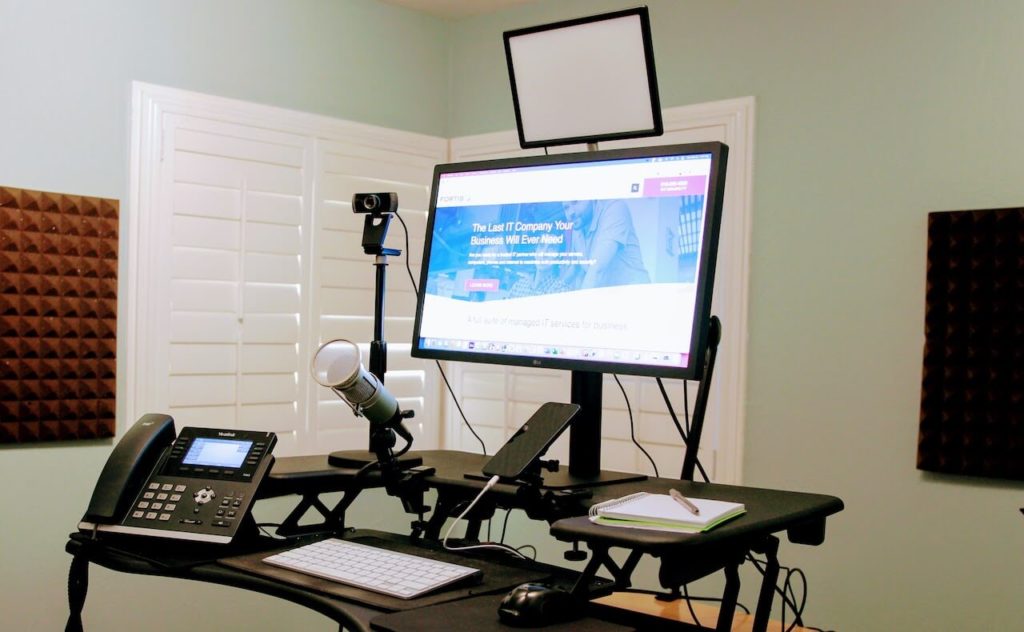
An organized desk leads to a clearer mind and better productivity. Workspace optimization gadgets help reduce clutter and improve accessibility. Items like monitor stands, cable organizers, and laptop risers create a clean and efficient setup. These tools also support better posture and comfort during long working hours. A well-organized desk minimizes distractions and makes it easier to stay focused. Smart organization gadgets transform a messy workspace into a professional and motivating home office environment.
You Might also Like Best WiFi Routers for Smart Homes – Top Picks & Buying Guide
Storage and Backup Devices for Data Safety
Data is one of the most valuable assets in a home office, and protecting it should be a top priority. Storage and backup devices help secure important files, projects, and work documents from accidental loss. External SSDs offer fast performance and portability, while network storage solutions provide centralized access across devices. Regular backups ensure peace of mind and business continuity. Whether you work with large files or sensitive data, a reliable backup system prevents downtime and protects your work from hardware failure or unexpected technical issues.
Smart Assistants and AI Tools for Home Office
Smart assistants and AI-powered tools are changing how people work from home. These technologies help automate routine tasks, manage schedules, and improve time management. Voice assistants can set reminders or control smart devices, while AI software supports note-taking, meeting summaries, and task prioritization. Using AI tools reduces mental workload and frees up time for more important tasks. When integrated correctly, smart assistants enhance productivity without adding complexity, making them valuable additions to a modern home office setup.
Ergonomic Tech Accessories for Health and Comfort
Comfort plays a crucial role in staying productive during extended working hours. Ergonomic tech accessories support better posture and reduce physical strain. Adjustable monitor arms, laptop stands, and ergonomic chairs help align your body correctly while working. These tools minimize neck, back, and wrist pain caused by poor posture. Investing in ergonomic accessories improves overall well-being and reduces fatigue. A comfortable workspace allows you to focus longer and work more efficiently, making ergonomics a key element of any professional home office.
Productivity Gadgets to Stay Focused While Working from Home
Staying focused at home can be challenging due to distractions. Productivity gadgets help maintain structure and concentration throughout the day. Tools like digital timers, focus lamps, and task trackers encourage better time management. These gadgets create visual cues that promote disciplined work habits. By breaking tasks into manageable sessions, productivity tools help reduce burnout and improve efficiency. When used consistently, focus-oriented gadgets support a balanced workflow and help maintain motivation in a home office environment.
Budget-Friendly Tech Gadgets for Home Office Setup
Building a functional home office doesn’t always require a large budget. Many affordable tech gadgets offer excellent value and performance. Budget-friendly keyboards, webcams, and desk accessories can significantly improve your workspace without overspending. Prioritizing essential gadgets ensures you get the most impact for your money. Smart purchasing decisions allow you to create a productive setup while staying within budget. Affordable tech solutions make it easier for beginners or freelancers to build an efficient home office.
Premium Tech Gadgets for a Professional Home Office
Premium tech gadgets are designed for users who demand top-tier performance and comfort. High-end monitors, advanced ergonomic chairs, and professional audio equipment deliver superior quality and reliability. These gadgets often include advanced features, better build quality, and longer lifespan. While they require a higher investment, premium tools provide long-term value for serious professionals. A professional-grade setup enhances productivity, comfort, and overall work experience, especially for those working full-time from home.
Final Thoughts on Building the Best Home Office Setup
Creating the best home office setup is about choosing technology that supports your work style and goals. The right gadgets improve productivity, comfort, and communication while reducing daily frustrations. Instead of focusing on trends, prioritize tools that solve real problems and enhance efficiency. A balanced mix of essential, ergonomic, and smart tech creates a workspace that truly works for you. With thoughtful planning and the right gadgets, your home office can be both professional and inspiring.
Read More Informative Information At Mypasokey