
What Does It Mean to Build a SaaS Without Code?
Building a SaaS without code means creating a fully functional software application using visual development platforms instead of traditional programming languages. No-code tools allow entrepreneurs, startups, freelancers, and businesses to design user interfaces, manage databases, automate workflows, and launch web or mobile applications through drag-and-drop builders. According to Gartner, low-code and no-code technologies continue to accelerate digital transformation as organizations look for faster application development with fewer technical barriers. Whether you’re launching an MVP or a scalable business, platforms like Bubble and Glide make it possible to validate ideas quickly while reducing development costs and time to market.
What Is No-Code SaaS?
A no-code SaaS is a cloud-based software product built using visual development platforms instead of manual coding. These platforms provide drag-and-drop components, built-in databases, automation tools, and integrations that simplify development. Business owners can launch subscription-based software products, manage users, process payments, and continuously improve their applications without hiring a full development team.
Why More Founders Are Choosing No-Code in 2026
Modern startups prioritize speed and cost efficiency. Instead of spending months developing an application, founders can launch an MVP within weeks using no-code platforms. According to Gartner, most new enterprise applications are expected to involve low-code or no-code technologies, reflecting the growing demand for faster software development and rapid business validation.
Types of SaaS You Can Build Without Coding
No-code platforms support a wide variety of SaaS products. You can create CRM software, project management tools, client portals, booking systems, marketplaces, learning platforms, membership websites, AI-powered applications, inventory management systems, HR solutions, and internal business tools. The flexibility of modern no-code platforms makes them suitable for both startups and established companies.
Bubble vs Glide at a Glance
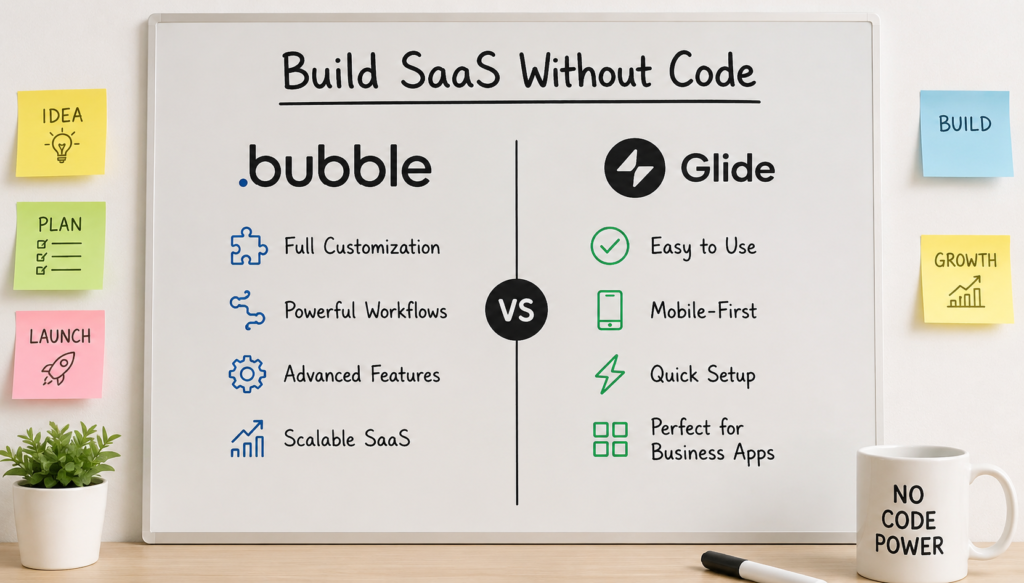
Bubble and Glide are among the most popular no-code development platforms, but they serve different purposes. Bubble focuses on building highly customizable web applications with advanced workflows and complex databases, while Glide specializes in creating mobile-friendly applications from spreadsheets and structured data. Choosing the right platform depends on your technical goals, budget, project complexity, and long-term scalability. Understanding their strengths early helps you avoid costly migrations and ensures your SaaS is built on the right foundation from day one.
Quick Overview of Bubble
Bubble is a powerful visual web application builder that allows users to create fully customized SaaS products without writing code. It includes advanced database management, API integrations, backend workflows, authentication, responsive design, and extensive plugin support. Bubble is widely used for startup MVPs and production-ready SaaS applications requiring complete customization.
Quick Overview of Glide
Glide transforms spreadsheets and structured databases into polished web and mobile applications. It emphasizes simplicity, speed, and ease of use. Users can build internal tools, client portals, inventory systems, employee apps, and lightweight SaaS products with minimal learning, making it especially attractive for non-technical founders and small businesses.
Key Differences in One Place
Bubble offers complete design flexibility, advanced logic, scalable databases, and deep customization. Glide prioritizes rapid development, mobile responsiveness, and simplicity. Bubble suits feature-rich SaaS products, whereas Glide excels at operational tools and business applications that rely on structured data and require quick deployment with minimal maintenance.
Which Platform Is Built for Which Audience?
Bubble is ideal for entrepreneurs, SaaS startups, agencies, and businesses building scalable software products. Glide is better suited for small businesses, operations teams, educators, consultants, and organizations needing internal apps or simple customer-facing applications. Your experience level and project complexity should guide your final platform selection.
💚 You might also like: Why Businesses in the UAE Are Investing in ERP and Cloud Transformation
Bubble vs Glide Feature Comparison
Although both platforms eliminate the need for coding, their capabilities differ significantly. Bubble emphasizes customization, advanced workflows, API connectivity, and scalable architecture, while Glide focuses on simplicity and fast deployment. Comparing features individually helps identify which platform better aligns with your SaaS vision. Factors such as database flexibility, authentication, automation, AI capabilities, responsive design, templates, and third-party integrations directly impact long-term development, user experience, and future scalability, making this comparison one of the most important sections before choosing your no-code platform.
Visual Builder
Bubble provides complete freedom to design interfaces from scratch using a flexible drag-and-drop editor. Glide uses prebuilt components optimized for consistency and speed. Bubble offers more creative control, while Glide enables faster application development with fewer design decisions and a smoother learning experience for beginners.
Database Capabilities
Bubble includes a native relational database capable of handling complex data structures, user relationships, and dynamic content. Glide connects with Glide Tables, Google Sheets, Excel, and Airtable, making data management easier but less flexible for highly sophisticated SaaS applications requiring advanced relational architecture.
Workflow Automation
Bubble supports highly advanced workflows involving conditional logic, backend automation, scheduled tasks, API actions, and custom processes. Glide offers built-in automation for notifications, updates, approvals, and integrations, making everyday business processes efficient without overwhelming users who prefer a simpler workflow builder.
AI Features
Both platforms increasingly support AI integrations. Bubble connects with OpenAI and numerous AI services through APIs and plugins, enabling intelligent SaaS applications. Glide also supports AI-powered features like text generation, categorization, and automation, allowing businesses to enhance productivity without implementing complicated machine learning models.
Third-Party Integrations
Bubble offers thousands of plugins alongside REST APIs, Stripe, SendGrid, Zapier, Make, Google services, and many external platforms. Glide integrates smoothly with Google Workspace, Airtable, Zapier, Make, Slack, and popular productivity tools, ensuring users can automate workflows across existing business ecosystems.
Templates
Bubble provides an extensive marketplace filled with startup templates, marketplaces, CRMs, dashboards, booking systems, AI apps, and SaaS frameworks. Glide also offers professional templates for internal operations, inventory, project management, sales, education, and customer engagement, enabling users to launch projects much faster.
User Authentication
Bubble supports sophisticated authentication systems, including email login, OAuth providers, role-based permissions, privacy rules, and custom user management. Glide includes secure sign-in through Google, Microsoft, email authentication, and user profiles, making it sufficient for many business applications with standard access requirements.
Mobile Responsiveness
Bubble enables responsive web applications through customizable layouts that adapt across devices. Glide is inherently optimized for mobile experiences, producing applications that function naturally on smartphones and tablets. Businesses targeting mobile-first users often appreciate Glide’s streamlined interface and responsive performance from the beginning.
Ease of Use: Which Platform Is Better for Beginners?
Choosing an easy-to-use platform significantly affects development speed and project success. Bubble provides unmatched flexibility but requires more time to master due to its advanced capabilities. Glide, by contrast, emphasizes simplicity with intuitive workflows and spreadsheet-based logic that non-technical users quickly understand. Beginners should evaluate not only how fast they can build an application but also how easily they can maintain, update, and scale it over time. Documentation, community resources, and overall learning experience play equally important roles when selecting a no-code platform.
Learning Curve
Bubble has a steeper learning curve because users must understand workflows, databases, responsive layouts, and application logic. Glide simplifies development by relying on familiar spreadsheet concepts and visual components. Beginners often build functional applications much faster with Glide before transitioning to more advanced platforms later.
User Interface
Bubble’s editor contains extensive customization options, making it powerful yet initially overwhelming. Glide offers a cleaner dashboard with intuitive navigation and predefined building blocks. Users with little technical experience generally find Glide easier to navigate, while experienced builders appreciate Bubble’s greater creative flexibility.
Development Speed
Glide enables rapid application development because many components, layouts, and workflows are preconfigured. Bubble requires additional setup but rewards developers with complete customization. If speed to launch is your highest priority, Glide usually delivers results faster, especially for internal tools and lightweight SaaS products.
Documentation and Tutorials
Both Bubble and Glide provide comprehensive documentation, video tutorials, community forums, and educational resources. Bubble offers a larger ecosystem with thousands of YouTube tutorials, plugin guides, and community resources, while Glide emphasizes beginner-friendly documentation that enables users to build professional applications with minimal technical expertise.
Community Support
Bubble has one of the largest no-code communities, offering forums, agencies, templates, plugins, and active discussions that solve development challenges quickly. Glide also maintains an engaged community focused on business applications, making it easy for beginners to receive guidance, share ideas, and learn best practices.
💚 You might also like: How CRM and Cloud Technologies Are Reshaping Modern Businesses
What Types of SaaS Can You Build with Bubble and Glide?
Bubble and Glide support a broad range of SaaS products across industries, enabling founders to validate ideas without expensive engineering teams. From internal business software to customer-facing subscription platforms, both tools can power practical solutions that solve real-world problems. The right platform depends on application complexity, customization requirements, and expected growth. Understanding common SaaS use cases helps determine which platform aligns best with your business goals before development begins.
Bubble vs Glide Pricing: Which Offers Better Value?
Pricing plays a major role when choosing a no-code platform, especially for startups working with limited budgets. While both Bubble and Glide offer free plans to help users explore their platforms, their paid plans differ significantly in terms of scalability, features, and long-term value. Bubble’s pricing is designed for businesses building highly customized SaaS applications, whereas Glide focuses on teams creating operational and internal business apps. Before making a decision, it’s important to compare subscription costs, hidden expenses, scalability, and overall return on investment rather than looking only at the monthly price.
Free Plans
Both Bubble and Glide provide free plans that allow users to explore their builders before upgrading. Bubble’s free tier is ideal for learning and testing applications, while Glide’s free plan enables users to create simple apps with limited features. Although useful for experimentation, serious SaaS businesses eventually require premium plans to unlock custom domains, increased capacity, and advanced functionality.
Paid Plans
Bubble offers multiple pricing tiers that increase workload capacity, collaboration features, storage, and performance as your SaaS grows. Glide also provides scalable plans tailored for individuals, teams, and businesses needing additional users, data capacity, and advanced automation. The right plan depends on your application’s complexity, expected traffic, and business goals rather than simply choosing the cheapest subscription.
Hidden Costs
Subscription fees are only one part of the total investment. Bubble users may spend extra on premium plugins, API services, third-party integrations, email providers, and external databases. Glide users can also incur additional costs through automation platforms, premium integrations, and workspace upgrades. Understanding these expenses early helps create a more realistic SaaS development budget.
Scaling Costs
As your user base grows, operating costs naturally increase. Bubble scales through workload units and higher-tier plans that support larger databases and heavier traffic. Glide expands through user limits, storage capacity, and business-oriented features. Founders planning long-term growth should compare scaling models carefully to avoid unexpected operational expenses as their SaaS gains popularity.
Best Value for Startups
For startups building feature-rich web applications, Bubble often delivers better long-term value because of its flexibility and customization options. Glide offers exceptional value for businesses needing lightweight applications, internal tools, and customer portals that can be launched quickly without extensive development. The best value ultimately depends on your product vision and expected growth trajectory.
ROI Comparison
No-code development significantly reduces software development expenses compared to traditional coding. According to McKinsey, low-code and no-code development can accelerate application delivery by up to 90% in certain projects, allowing businesses to validate ideas faster and reduce development costs. Bubble generally offers higher ROI for scalable SaaS products, while Glide maximizes ROI for operational efficiency and rapid deployment.
Step-by-Step Guide: How to Build a SaaS Without Code
Building a SaaS without code becomes much easier when you follow a structured development process. Instead of focusing only on design, successful founders validate their ideas, understand customer problems, build a minimum viable product, collect user feedback, and improve continuously. Whether you choose Bubble or Glide, following a proven roadmap reduces development risks and speeds up product launches. The goal isn’t to build every feature immediately but to create a valuable solution that solves a real problem and evolves through continuous user feedback and iteration.
Validate Your SaaS Idea
Every successful SaaS starts with solving a genuine problem. Research your target audience, analyze competitors, conduct customer interviews, and identify pain points before building anything. Validating demand early minimizes wasted effort and ensures you’re investing time in an idea with real market potential and paying customers.
Choose Bubble or Glide
Select the platform that aligns with your business goals. Bubble is better for complex SaaS products requiring custom workflows, advanced databases, and scalability. Glide works best for mobile-friendly applications, internal tools, and simple business solutions that prioritize speed, ease of development, and operational efficiency.
Design Your Database
A well-structured database is the foundation of every SaaS application. Plan user profiles, products, subscriptions, permissions, transactions, and relationships before building workflows. Good database architecture improves scalability, simplifies maintenance, and makes adding new features much easier as your application grows.
Build Your MVP
Focus on creating a Minimum Viable Product with only the essential features users need. Avoid feature overload during the initial launch. A lean MVP reaches customers faster, gathers valuable feedback, and allows continuous improvements based on real-world usage rather than assumptions.
Add User Authentication
Secure user authentication protects customer information and creates personalized experiences. Implement email login, password management, role-based permissions, and secure account recovery. Both Bubble and Glide offer built-in authentication options that simplify user management without requiring custom coding.
Integrate Payments
Most SaaS businesses rely on recurring subscriptions or one-time purchases. Connect trusted payment gateways like Stripe or PayPal to handle billing securely. Automating subscriptions, invoices, and payment confirmations creates a seamless customer experience while reducing administrative workload for your business.
Test Your Application
Before launching publicly, thoroughly test every workflow, page, form, integration, and automation. Identify broken processes, performance issues, and usability problems across multiple devices. Early testing improves customer satisfaction and prevents negative first impressions that could reduce user retention.
Launch and Collect Feedback
Release your application to a small group of users before scaling. Encourage honest feedback through surveys, interviews, and analytics. Early adopters often reveal usability issues and feature requests that help improve your SaaS faster than relying solely on internal assumptions.
Improve with User Data
Successful SaaS companies continuously improve their products using customer insights. Track user behavior, monitor engagement, analyze feature adoption, and measure churn rates. Data-driven decisions help prioritize updates that genuinely improve customer satisfaction and support sustainable long-term business growth.
💚 You might also like: How Modern Technology Partners Drive Business Growth Through Innovation
Bubble vs Glide Pros and Cons
Every no-code platform has strengths and limitations. Bubble excels in flexibility, customization, and scalability, making it a strong choice for ambitious SaaS startups. Glide, meanwhile, prioritizes simplicity, rapid development, and ease of maintenance, making it ideal for operational applications and internal business tools. Evaluating both advantages and disadvantages helps founders choose a platform that aligns with their technical skills, business objectives, and long-term product roadmap instead of making a decision based solely on popularity or pricing.
Bubble Advantages
Bubble offers unmatched customization, advanced workflow automation, responsive design, API integrations, plugin support, scalable databases, and complete control over application functionality. It enables founders to build sophisticated SaaS products that closely resemble traditionally coded applications without requiring software engineering expertise.
Bubble Limitations
Bubble’s flexibility comes with a steeper learning curve. Beginners often require additional time to understand workflows, responsive layouts, and database structures. Complex applications may also demand higher subscription plans and careful performance optimization as traffic and workload increase over time.
Glide Advantages
Glide enables incredibly fast application development using intuitive visual tools and spreadsheet-based data management. Its mobile-first approach, intuitive interface, and easy-to-use automation features make it an excellent choice for building internal business tools, client portals, and operational apps without requiring extensive technical knowledge.
Glide Limitations
Glide offers less customization than Bubble, particularly for highly complex SaaS products with advanced workflows and relational databases. Businesses planning sophisticated software platforms or extensive feature expansion may eventually encounter limitations that require migrating to a more flexible development platform.
Common Mistakes to Avoid When Choosing a Platform
Many founders choose a platform based only on price or popularity instead of long-term requirements. Consider scalability, customization, integrations, security, performance, and future business growth before making your decision. Selecting the right foundation early can prevent costly migrations and unnecessary redevelopment later.
Bubble vs Glide: Which No-Code Platform Should You Choose?
The right no-code platform depends entirely on your business goals, technical requirements, and future growth plans. Bubble is the better choice for entrepreneurs building highly customizable SaaS applications with advanced functionality, while Glide excels at creating mobile-friendly business applications quickly and efficiently. Rather than asking which platform is universally better, focus on which one aligns with your project’s complexity, budget, development timeline, and scalability needs. Choosing the platform that matches your long-term vision will save significant time, money, and development effort as your SaaS evolves.
Best for Beginners
Glide is generally the better choice for beginners because of its intuitive interface, spreadsheet-driven workflows, and shorter learning curve. New users can build functional applications within days, making it an excellent starting point for entrepreneurs with little or no technical background.
Best for Startups
Startups aiming to build scalable SaaS businesses with custom functionality should strongly consider Bubble. Its flexibility supports advanced workflows, subscription systems, user authentication, APIs, and growing databases, making it suitable for companies planning continuous product expansion and long-term scalability.
Best for Internal Tools
Glide is particularly effective for internal business applications such as employee portals, inventory management, project tracking, CRM systems, and operational dashboards.
Best for Scalable SaaS Products
Bubble stands out as the preferred option for scalable SaaS products because it supports sophisticated databases, complex business logic, advanced integrations, and complete design flexibility. Founders expecting rapid growth and evolving feature requirements generally gain greater long-term benefits from Bubble’s robust ecosystem.
Final Recommendation Based on Different Use Cases
If your goal is to launch a powerful, customer-facing SaaS product with advanced customization, Bubble is the stronger investment. If you need a fast, easy-to-maintain application for internal operations or lightweight business solutions, Glide offers exceptional efficiency. Evaluate your business objectives, technical requirements, and expected growth carefully before making your final decision.
Frequently Asked Questions
Can I build a real SaaS business without coding?
Yes. Many successful startups have launched MVPs and even full-scale SaaS products using no-code platforms. With the right validation, marketing strategy, and continuous improvement, no-code tools can support profitable software businesses.
Is Bubble better than Glide for startups?
For startups building feature-rich and scalable web applications, Bubble is generally the better choice. Glide is better suited for internal tools, client portals, and lightweight business applications that prioritize speed and simplicity.
Which platform is easier to learn?
Glide has a much shorter learning curve because of its intuitive interface and spreadsheet-based structure. Bubble requires more time to master but offers significantly greater flexibility and customization.
Can I migrate from Glide to Bubble later?
Yes, although migration usually requires rebuilding parts of the application because the platforms use different architectures. Planning for future scalability early can help minimize migration challenges.
Which platform is better for AI SaaS?
Bubble is generally the stronger choice for AI-powered SaaS because it supports advanced API integrations, custom workflows, and greater backend flexibility needed for sophisticated AI applications.
How much does it cost to build a no-code SaaS?
The cost varies depending on the platform, subscription plan, integrations, and business requirements. Many founders launch an MVP for a relatively small monthly investment, making no-code significantly more affordable than traditional software development.
Conclusion
Building a SaaS without code has become a practical and cost-effective approach for entrepreneurs, startups, and businesses looking to bring ideas to market faster. Both Bubble and Glide eliminate many traditional development barriers, but each serves a different purpose. Bubble is the ideal platform for scalable, highly customized SaaS applications with advanced workflows and long-term growth potential. Glide shines when speed, simplicity, and mobile-friendly business apps are the priority.
Before choosing a platform, clearly define your business goals, expected feature set, budget, and future scalability needs. Starting with the right no-code platform will save time, reduce development costs, and position your SaaS for sustainable growth. The best choice isn’t the most popular platform, it’s the one that aligns with your vision and helps you deliver real value to your users.
✨ Your daily tech edge starts here. Follow MyPasokey.