
Amazon Alexa in Smart Home Control
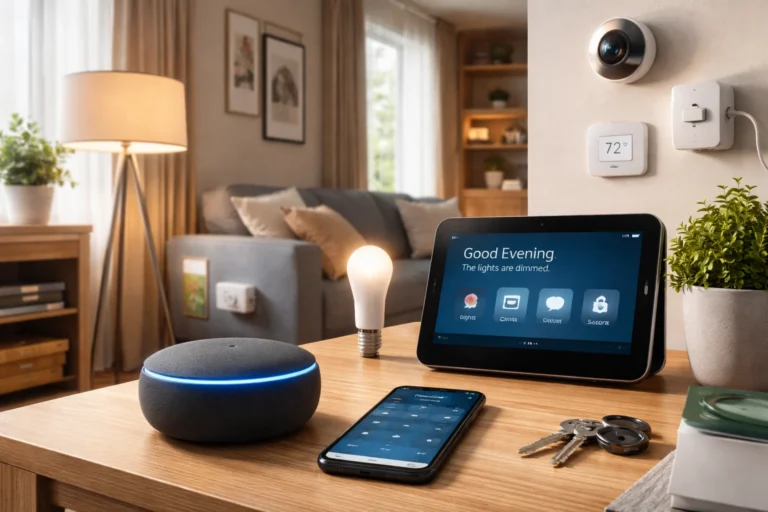
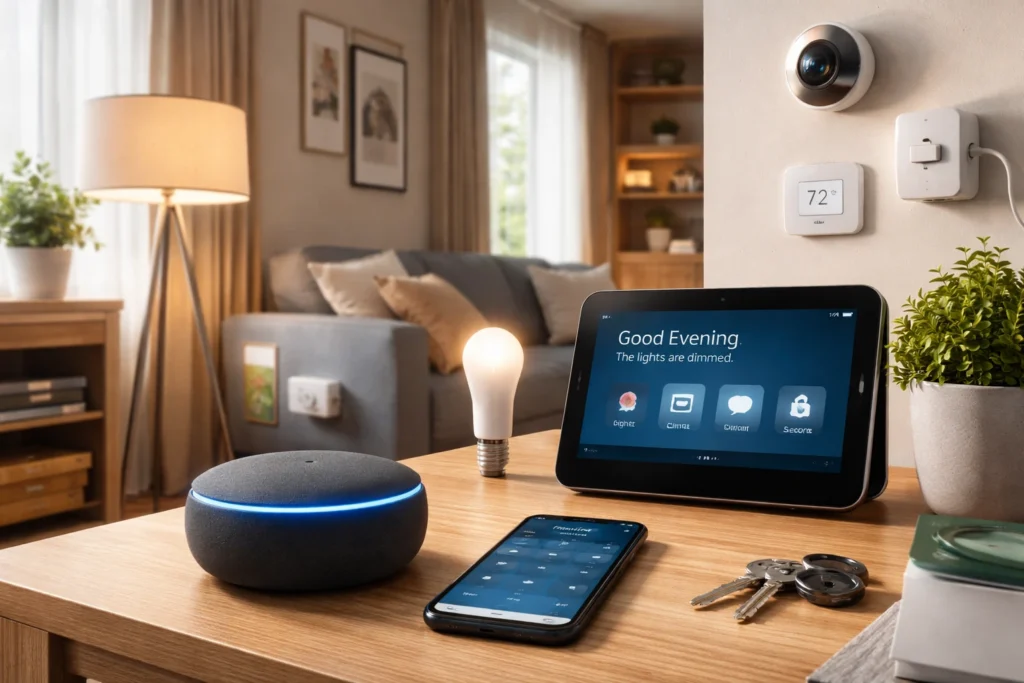
Smart homes have evolved rapidly over the last decade, and voice assistants now play a central role in how people interact with connected devices. Amazon Alexa has become one of the most widely used platforms for controlling smart technology in modern homes. Instead of manually adjusting lights, thermostats, or appliances, users can simply give a voice command and Alexa handles the task instantly. This convenience has transformed everyday routines and made home automation more accessible to ordinary users. By combining voice recognition, cloud computing, and smart integrations, Alexa creates a centralized control system where multiple devices work together seamlessly, improving efficiency, comfort, and overall home management.
Smart Devices in Connected Homes
Smart devices are electronic products designed to connect to the internet and communicate with other devices in a home network. These devices include smart lights, thermostats, security cameras, door locks, plugs, and even kitchen appliances. Each device contains sensors, wireless connectivity, and embedded software that allow it to receive commands remotely. In a connected home environment, these devices interact with platforms like Alexa to perform automated tasks. For example, lights can turn on when someone enters a room, or the thermostat can adjust automatically based on temperature preferences. The real value of smart devices lies in their ability to work together, creating a coordinated and intelligent living space.
Alexa Smart Home Architecture
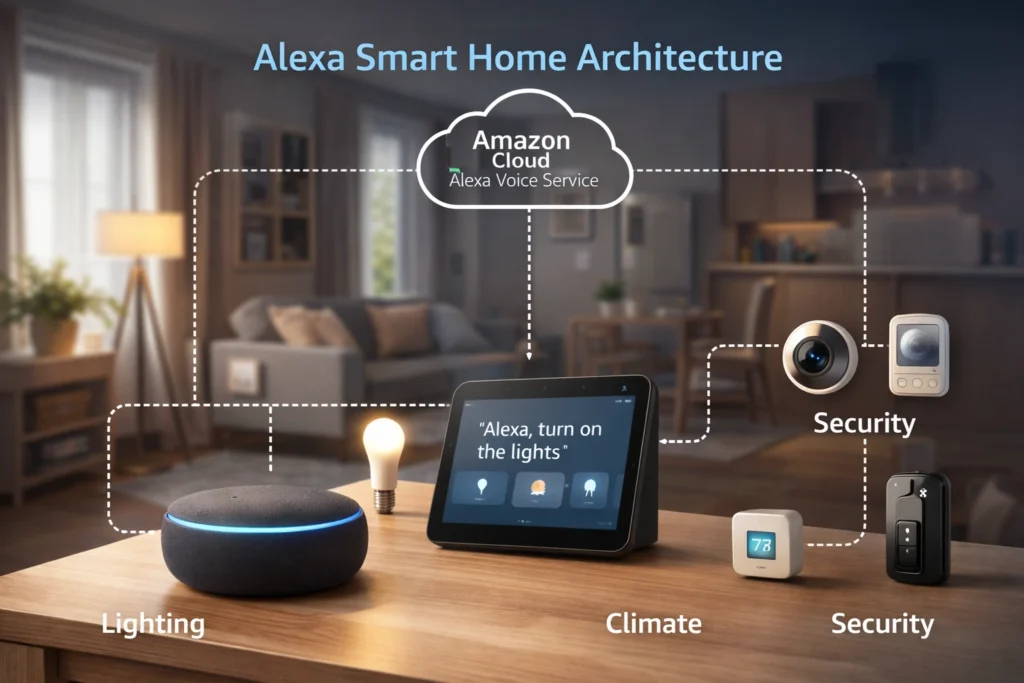
The architecture behind Amazon Alexa is designed to handle complex communication between voice commands and smart devices. At its core, Alexa operates through a layered system that includes voice recognition technology, cloud processing, and device integration frameworks. When a user speaks to an Alexa-enabled device such as an Echo speaker, the system records the request and sends it to Amazon’s cloud servers for analysis. The platform then determines the correct action and sends instructions to the relevant smart device. This architecture ensures reliability, fast response times, and compatibility with thousands of third-party devices, making Alexa a powerful hub for modern smart home ecosystems.
You Might also Like: Document Scanning Explained: From Paper to Digital
Alexa Voice Service (AVS)
Alexa Voice Service, commonly known as AVS, is the cloud-based engine that powers Alexa’s voice intelligence. It processes spoken commands, interprets user intent, and determines the correct response or action. When someone says a command, AVS analyzes the audio data using natural language processing and machine learning models. Once the request is understood, the service communicates with the connected smart device to complete the action.
Alexa–Device Communication System
One of the most important aspects of Alexa’s functionality is how it communicates with smart devices. The system uses internet connectivity, device APIs, and cloud-based communication protocols to deliver commands quickly and accurately. When a user issues a voice instruction, Alexa interprets the command and sends it to the appropriate device through the manufacturer’s cloud service or directly through local network communication. This process happens within seconds, allowing devices to respond almost instantly. The communication system is designed to support a wide range of smart products from different brands, which makes Alexa a flexible and scalable platform for building an integrated smart home environment.
Voice Command Processing in Alexa
Voice command processing is the technology that allows Alexa to understand natural speech and convert it into actionable instructions. The process begins when the device detects the wake word “Alexa,” which activates the listening mode. The spoken command is then recorded and transmitted to Amazon’s cloud infrastructure. Advanced natural language processing algorithms analyze the command to determine the user’s intent. Once the request is understood, Alexa maps the command to a specific device or function. This intelligent processing system enables Alexa to handle complex requests, control multiple devices, and respond naturally to conversational language, making smart home control effortless and intuitive.
Alexa Skills for Device Integration
Alexa Skills are specialized capabilities that extend the functionality of the Alexa ecosystem. These skills allow Alexa to interact with a wide variety of third-party smart devices and services. Device manufacturers create custom skills that connect their products to the Alexa platform through secure cloud integrations. Once enabled, these skills allow users to control the device using voice commands. For example, a smart lighting brand might create a skill that allows Alexa to adjust brightness, change colors, or schedule lighting routines. Skills significantly expand Alexa’s compatibility, enabling it to work with thousands of smart home products and creating a flexible ecosystem for home automation.
Automatic Device Detection
Automatic device detection allows Alexa to identify compatible smart devices connected to the same network. When users install a new device and enable its corresponding skill, Alexa scans the network to discover it. Once detected, the device appears in the Alexa app where it can be assigned to rooms, groups, or routines. This automated process simplifies setup and reduces technical complexity for users.
Smart Device Discovery in Alexa
Setting up a smart home device with Alexa usually begins with the discovery process. Device discovery is how Alexa identifies new smart products connected to your network and prepares them for voice control. After installing the device and enabling its skill in the Alexa app, users can ask Alexa to “discover devices.” The system then scans the network and checks compatible integrations through cloud services. Once a device is detected, it appears inside the Alexa app where it can be named, assigned to rooms, and controlled through voice commands. This streamlined discovery process removes much of the technical complexity, allowing even beginners to quickly integrate new devices into their smart home environment.
Manual Device Setup
In some situations, automatic discovery may not detect a device immediately, which is where manual setup becomes useful. The Alexa app provides an option to add devices manually by selecting the device category and brand. Users follow simple instructions to connect the device to Wi-Fi and link it to Alexa. This method ensures compatibility and helps resolve connection issues during installation.
Alexa-Supported Smart Home Protocols
Smart home communication depends on wireless protocols that allow devices to connect and exchange data. Alexa supports several major protocols used by modern smart home products, including Wi-Fi, Zigbee, and newer universal standards. Wi-Fi is the most common protocol because it allows devices to connect directly to home networks without additional hubs. Zigbee, on the other hand, creates a mesh network that improves reliability and extends connectivity across larger homes. Some Echo devices even include built-in Zigbee hubs to simplify integration. By supporting multiple communication standards, Alexa ensures compatibility with a wide variety of smart home devices, giving users the flexibility to build a connected ecosystem that fits their needs.
Voice-Based Smart Device Control
Voice control is the feature that makes Alexa especially powerful in a smart home environment. Instead of opening multiple apps or manually operating devices, users can simply speak commands to control them instantly. For example, someone can say “turn off the living room lights” or “set the thermostat to seventy degrees.” Alexa understands the request, identifies the device, and sends the instruction through the cloud to complete the action. This hands-free approach simplifies everyday tasks and makes technology more accessible. Over time, Alexa also learns user preferences and common phrases, which allows it to respond more accurately and naturally. Voice-based control ultimately creates a smoother and more convenient smart home experience.
Device Grouping in Alexa
As the number of connected devices increases, managing them individually can become inefficient. Alexa solves this problem through device grouping. Users can organize devices into groups based on rooms, areas, or functions within the Alexa app. For example, all bedroom lights can be placed into a single group called “Bedroom.” Once grouped, a single voice command such as “turn off the bedroom lights” will control every device within that group. This organizational feature makes smart home management simpler and more intuitive. Grouping also allows users to control multiple device types simultaneously, such as lights, speakers, and thermostats within the same room.
Smart Automation with Alexa Routines
Alexa routines allow users to automate multiple smart devices with a single command or trigger. Instead of controlling devices individually, routines create a sequence of actions that happen automatically. For instance, a morning routine could turn on lights, read the weather forecast, and start a coffee maker with one voice command. Routines can also be triggered by schedules, device activity, or location changes. This automation capability transforms Alexa from a simple voice assistant into a powerful smart home controller. By combining several devices and actions into one workflow, routines save time and help create personalized home environments that adapt to daily habits and preferences.
Custom Alexa Routines
Custom routines allow users to design personalized automation scenarios based on their lifestyle. Through the Alexa app, users can select triggers such as voice commands, schedules, or device activity. They can then add multiple actions, including controlling lights, adjusting thermostats, or playing music. These customizable routines help create highly efficient and personalized smart home experiences.
Alexa-Compatible Smart Devices
Amazon Alexa supports a wide range of smart home devices from many well-known technology brands. These devices are designed to integrate with Alexa through cloud services, dedicated skills, or compatible communication protocols. Common examples include smart lighting systems, thermostats, plugs, door locks, cameras, and entertainment devices. Once connected, these products can be controlled through simple voice commands or automated routines. The growing ecosystem of Alexa-compatible products makes it easier for homeowners to build a fully connected environment without relying on a single manufacturer. As more companies adopt open smart home standards, Alexa continues to expand its compatibility and support for new categories of smart devices.
Lighting, Climate & Security Devices
Three of the most popular categories of Alexa-compatible devices include smart lighting, climate control systems, and home security equipment. Smart lights allow users to adjust brightness, colors, and schedules using voice commands. Smart thermostats manage indoor temperatures efficiently, while security devices such as cameras and smart locks improve home safety through remote monitoring and alerts.
Security in Alexa Smart Homes
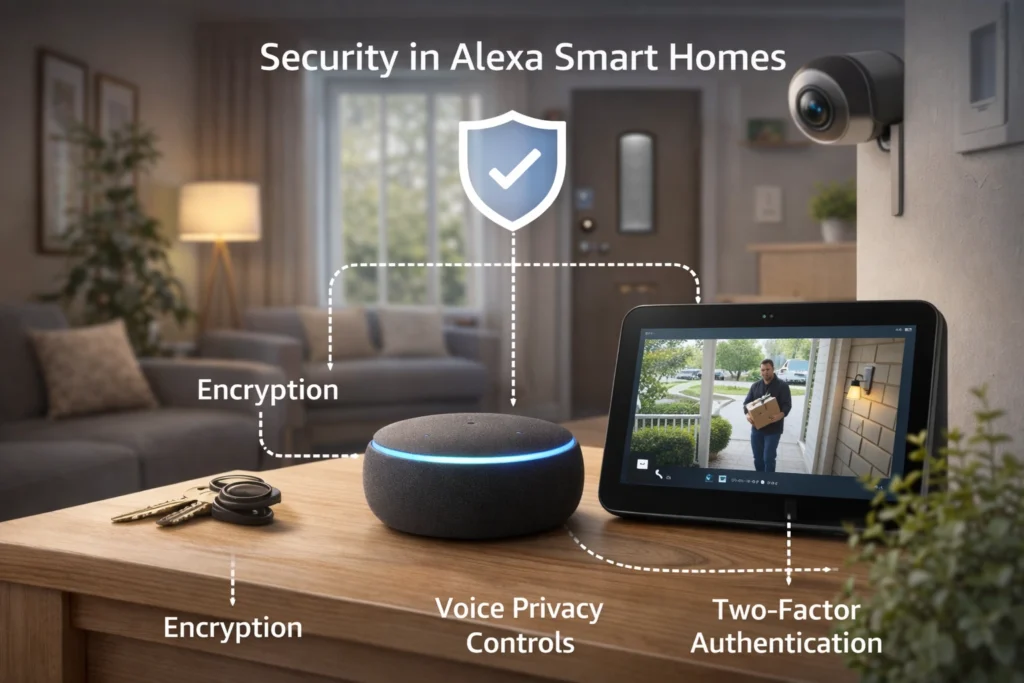
Security and privacy are important considerations when building a smart home system. Amazon has implemented multiple protection layers within the Alexa ecosystem to safeguard user data and device communication. Voice recordings are encrypted and processed securely in the cloud, while account authentication helps prevent unauthorized access. Users can also manage privacy settings through the Alexa app, allowing them to review or delete voice history. Many smart devices connected to Alexa include additional security features such as two-factor authentication and encrypted communication channels. By combining secure cloud infrastructure with user-controlled privacy settings, Alexa aims to provide a safe environment for managing connected devices within modern smart homes.
You Might also Like: Eco-Friendly Home Improvement Ideas for Energy-Efficient Living
Troubleshooting Alexa Device Control
Although Alexa is designed to simplify smart home management, users may occasionally encounter connection or performance issues. These problems often occur when a device loses internet connectivity, a skill becomes disconnected, or the device firmware requires an update. Troubleshooting usually begins by checking the Wi-Fi connection and confirming that the device appears correctly in the Alexa app. Restarting the device or rediscovering it through Alexa can often resolve minor issues. In some cases, disabling and re-enabling the device skill can restore proper communication. Understanding these basic troubleshooting steps helps users quickly fix common problems and maintain smooth smart home operation.
Future of Alexa Smart Home AI
The future of Alexa in smart home technology is closely tied to advancements in artificial intelligence and connected device standards. As machine learning models become more advanced, Alexa will continue to improve its ability to understand natural conversation and anticipate user needs. Emerging technologies such as the Matter smart home standard are also expected to simplify device compatibility across different brands. This means users will be able to connect and control devices more easily without complex setup processes. In the coming years, Alexa will likely become an even more intelligent home assistant, capable of managing entire environments automatically while adapting to user preferences, habits, and daily routines.
Conclusion
Amazon Alexa has transformed the way people interact with technology inside their homes. By combining voice recognition, cloud computing, and smart device integrations, Alexa creates a centralized system for controlling multiple connected devices with simple voice commands. From lighting and climate control to security and entertainment, Alexa makes everyday tasks faster and more convenient. Features like device grouping, skills, and automation routines further enhance the smart home experience by allowing users to customize how their homes respond to different situations. As smart home technology continues to evolve, Alexa will likely become even more intelligent and capable, making connected living more efficient, secure, and user-friendly for households everywhere.
FAQs
1. Can Alexa control all smart home devices?
Alexa can control thousands of compatible smart devices, but the device must support Alexa integration or have an Alexa skill.
2. Do smart devices need Wi-Fi to work with Alexa?
Most Alexa-compatible devices require Wi-Fi to communicate with the Alexa cloud and receive commands.
3. How do you connect a smart device to Alexa?
You can connect devices through the Alexa app by enabling the device skill and running the device discovery process.
4. Can Alexa control multiple devices at once?
Yes, Alexa can control multiple devices simultaneously using device groups or automation routines.
5. Is Alexa smart home control secure?
Alexa uses encryption, secure cloud processing, and account authentication to protect smart home data and commands.a
Read More Informative Information At Mypasokey