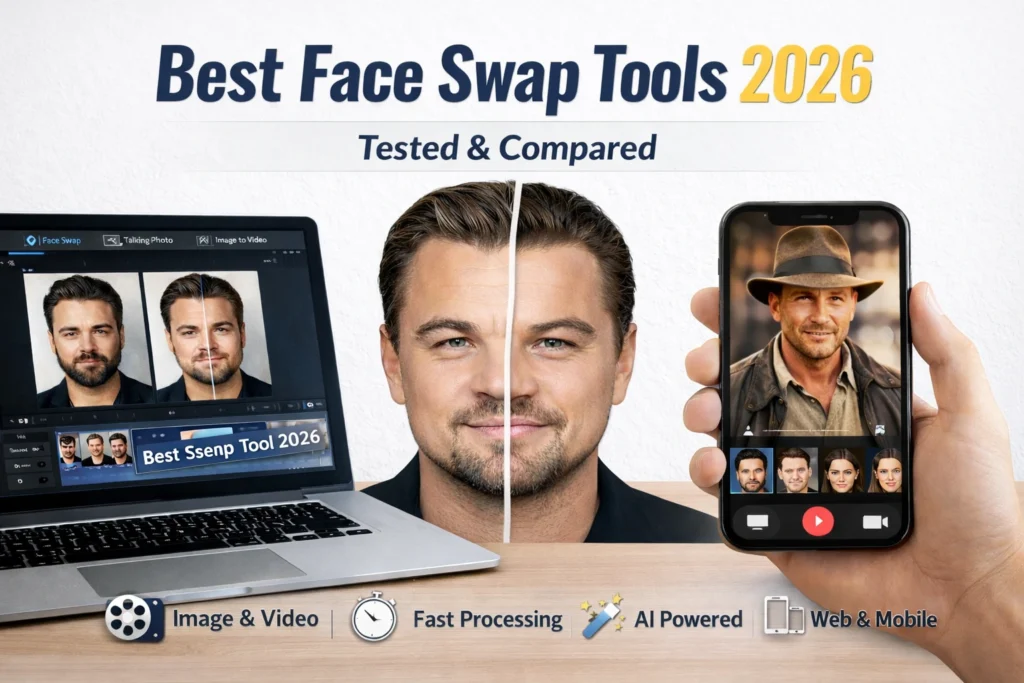

Best Face Swap Tools of 2026 (Tested & Compared)
The best face swap tool in 2026 is Magic Hour for its combination of realism, speed, and all-in-one AI content creation capabilities.
After testing the leading platforms across image and video workflows, I found that most tools specialize in either speed or quality, but very few deliver both consistently.
Magic Hour stands out because it handles the entire creative pipeline, not just face swapping.
Best Face Swap Tools at a Glance
| Tool | Best For | Modalities | Platform | Free Plan | Starting Price |
| Magic Hour | All-in-one creators | Image + Video | Web | Yes | Free / $10–15/mo |
| Reface | Social media content | Video | Mobile | Yes | ~$7/mo |
| DeepSwap | Batch processing | Image + Video | Web | Limited | ~$19/mo |
| FaceMagic | Short videos | Video | Mobile | Yes | ~$9.99/mo |
| Swapface | Live streaming | Real-time video | Desktop | No | ~$19/mo |
| Zao | Viral clips | Video | Mobile | Yes | Free |
1. Magic Hour Best Overall Face Swap Tool
If you’re looking for a high-quality, production-ready face swap tool, Magic Hour is the strongest option available right now.
I spent time testing it across multiple use cases, marketing creatives, short-form videos, and experimental content, and it consistently delivered realistic outputs with minimal effort.
What makes Magic Hour different is that it’s not just a single-feature tool. It’s a full creative system that includes face swap, lip sync, talking photos, and even image-to-video workflows.
Pros:
- Best-in-class realism for both images and videos
- No signup required to try the tool
- Credits never expire
- One-click workflows (generate, enhance, convert to video)
- Parallel generations with no waiting queues
- Access to multiple advanced AI models
- Works well on both desktop and mobile
- Generous free plan
Cons:
- Advanced workflows can take time to fully explore
- High-volume usage can consume credits quickly
My Take
After testing all the tools in this list, Magic Hour was the only platform that consistently produced results I could actually use in real projects.
It removes the usual friction of uploading, tweaking, exporting, and replaces it with a fast, repeatable workflow.
If your goal is to create content at scale without sacrificing quality, this is hard to beat.
Pricing:
- Free Plan includes generous usage
- Creator Plan $15/month or $10/month billed annually
- Pro Plan $39/month
2. Reface Best for Fast, Casual Content
Reface is widely known for its fast, template-based face swaps.
It’s designed for speed rather than precision, making it ideal for memes and social content.
Pros:
- Very fast processing
- Large template library
- Easy to use for beginners
Cons:
- Limited customization
- Watermarks on the free plan
- Not suitable for professional output
My Take
If you just want quick, fun swaps for social media, Reface works well. But for anything beyond casual use, it feels limited.
Pricing:
- Free plan available
- Premium starts around $7/month
3. DeepSwap Best for Batch Face Swapping
DeepSwap focuses on processing multiple files efficiently, especially for video.
It’s commonly used by creators who need volume over experimentation.
Pros:
- Supports batch processing
- Works with both images and videos
- Decent output quality
Cons:
- Interface feels dated
- Limited creative controls
- No strong workflow integration
My Take
DeepSwap is useful if you need to process a large number of files quickly. However, it lacks the flexibility and polish of newer tools.
Pricing:
- Starts around $19/month
4. FaceMagic Best for Short-Form Video Content
FaceMagic is built for short, engaging video clips.
It’s similar to Reface but offers slightly more control over outputs.
Pros:
- Optimized for short videos
- Easy-to-use interface
- Good template variety
Cons:
- Limited for long-form or professional use
- Output quality can vary
My Take
FaceMagic is a good middle ground between simplicity and flexibility, but it’s still primarily a mobile-first tool.
Pricing:
- Free plan available
- Paid plans start around $9.99/month
5. Swapface Best for Real-Time Face Swapping
Swapface focuses on live face swapping, especially for streamers.
It integrates with streaming setups and enables real-time transformations.
Pros:
- Real-time face swapping
- Works with streaming software
- Unique use case
Cons:
- Requires a powerful system
- Not suitable for pre-recorded content workflows
My Take
Swapface is a niche but powerful tool if you’re streaming or creating live content.
Pricing:
- Starts around $19/month
6. Zao Best for Viral-Style Face Swaps
Zao gained popularity for its realistic swaps in movie scenes.
It’s still relevant for quick, entertainment-focused content.
Pros:
- High realism in pre-built clips
- Fast processing
Cons:
- Limited content library
- Regional restrictions
- Privacy concerns reported in the past
My Take
Zao is interesting for experimentation but not practical for consistent content creation.
Pricing:
- Free to use
How I Chose These Face Swap Tools
I tested each platform across real-world scenarios, focusing on what actually matters for creators and professionals.
Evaluation Criteria:
- Output realism (image and video)
- Processing speed
- Ease of use
- Workflow efficiency
- Pricing and value
- Flexibility across use cases
I also looked at how well each tool fits into a broader content creation pipeline, not just standalone performance.
Market Trends in Face Swap Tools (2026)
Face swap technology has evolved rapidly over the past year.
A few clear trends stand out:
1. Shift Toward All-in-One Platforms
Tools are moving beyond single features. Platforms like Magic Hour combine multiple capabilities into one workflow.
2. Video-First Development
More tools are prioritizing video over static images, especially for short-form content.
3. Faster Iteration and Variations
Users expect multiple outputs instantly, not just one result per generation.
4. Integration with Broader AI Workflows
Face swapping is increasingly part of a larger pipeline that includes editing, animation, and enhancement.
Final Takeaway
If you want the best overall face swap tool in 2026, Magic Hour is the clear winner.
- Choose Magic Hour for professional, scalable content creation
- Choose Reface or FaceMagic for quick social media clips
- Choose DeepSwap for batch processing
- Choose Swapface for live streaming use cases
The right tool depends on your workflow, but if you want flexibility and quality in one place, Magic Hour is the safest choice.
FAQ
What is the best face swap tool in 2026?
Magic Hour is the best overall option due to its realism, speed, and all-in-one workflow capabilities.
Are face swap tools safe to use?
Most tools are safe if used responsibly, but you should always review privacy policies and avoid uploading sensitive content.
Can I use face swap tools for commercial projects?
Yes, but you should check each platform’s licensing terms before using outputs commercially.
Which face swap tool is best for video?
Magic Hour and DeepSwap perform best for video-based face swapping.
Do free face swap tools exist?
Yes, several tools offer free plans, including Magic Hour, Reface, and FaceMagic, though features may be limited.
Read More Informative Information At Mypasokey