
Introduction: Why More People Are Choosing Canva Over Photoshop
The graphic design industry has changed dramatically over the past decade. What once required expensive software and years of experience is now possible with beginner-friendly online tools. Canva has become one of the biggest success stories in modern design because it allows almost anyone to create professional-looking graphics in minutes. According to Canva, the platform now serves more than 220 million monthly active users worldwide, highlighting how quickly it has become a preferred choice for individuals, businesses, educators, and marketers. This guide explains why Canva has overtaken Photoshop for many everyday users while also showing where Photoshop continues to lead.
Evolution of Graphic Design Tools
Graphic design software was traditionally built for professionals who needed advanced editing capabilities. Programs like Photoshop dominated the market for decades because they offered complete creative control. However, cloud technology, artificial intelligence, and template-based design have made graphic creation significantly easier. Today’s users value speed, simplicity, and collaboration just as much as creative freedom.
The Shift Toward Beginner-Friendly Platforms
Modern users want to create social media posts, presentations, marketing materials, and business graphics without spending months learning complicated software. Canva recognized this demand early and built a platform that removes technical barriers. Instead of focusing on professional editing tools, it emphasizes productivity, accessibility, and ease of use for everyone.
Canva vs Photoshop: Understanding the Core Difference
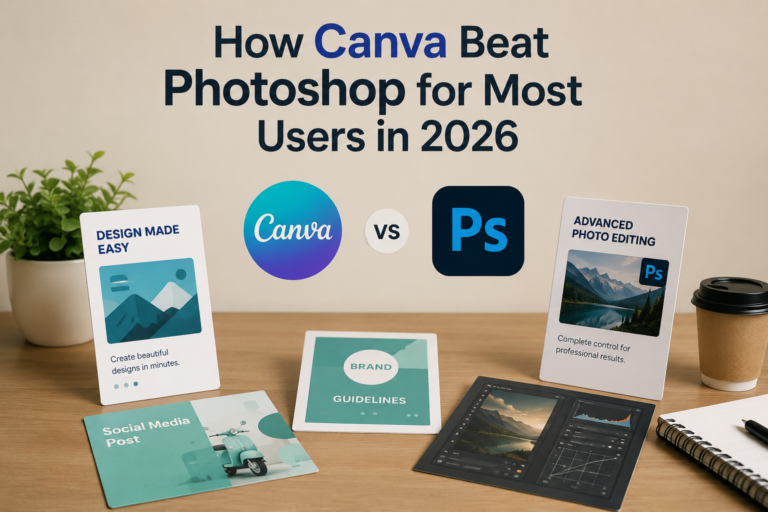
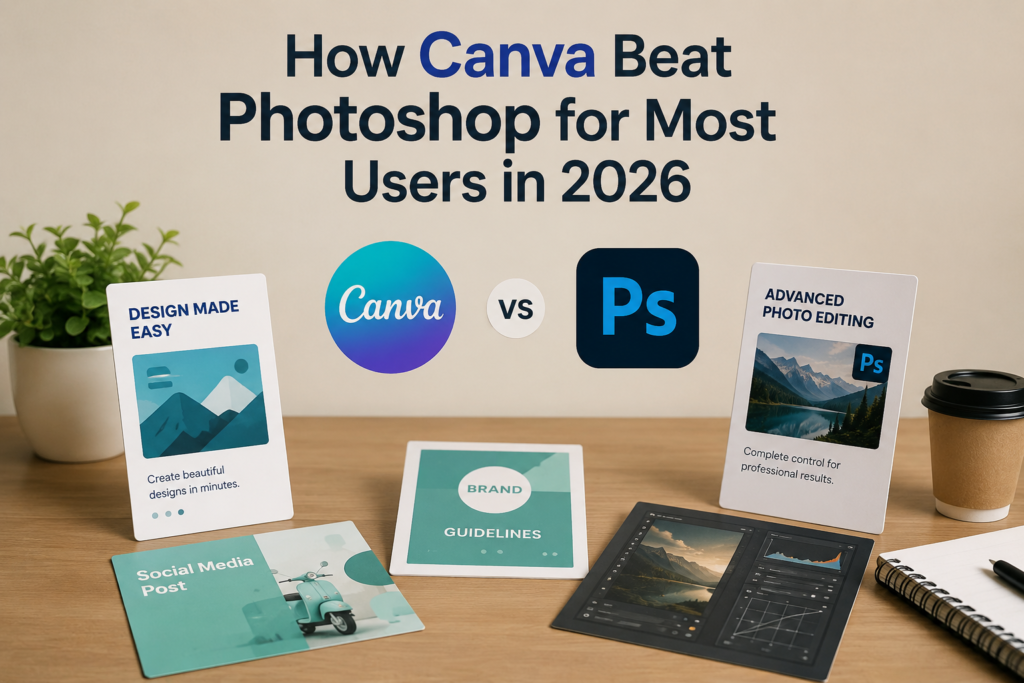
Although Canva and Photoshop are both design tools, they were built with completely different purposes in mind. Canva focuses on helping users create beautiful designs quickly through templates, drag-and-drop editing, and AI-powered features. Photoshop, on the other hand, is designed for advanced image editing, digital art, and professional creative work. Understanding these differences is essential because the better platform depends entirely on your goals, experience level, and workflow rather than simply choosing the software with the most features.
What Canva Is
Canva is a cloud-based graphic design platform that enables users to create presentations, social media graphics, marketing materials, videos, documents, and websites without requiring professional design skills. Its template library, collaboration features, and AI tools make it especially attractive for businesses, educators, freelancers, and content creators.
What Photoshop Is
Adobe Photoshop is an industry-standard image editing application used by photographers, graphic designers, digital artists, and creative professionals. It offers advanced capabilities, including layer-based editing, masking, retouching, compositing, color grading, and high-end image manipulation that cannot easily be replicated by simpler design platforms.
💚 You might also like:Build SaaS Without Code: Bubble Vs Glide Guide
Why Canva Beats Photoshop for Most Everyday Users
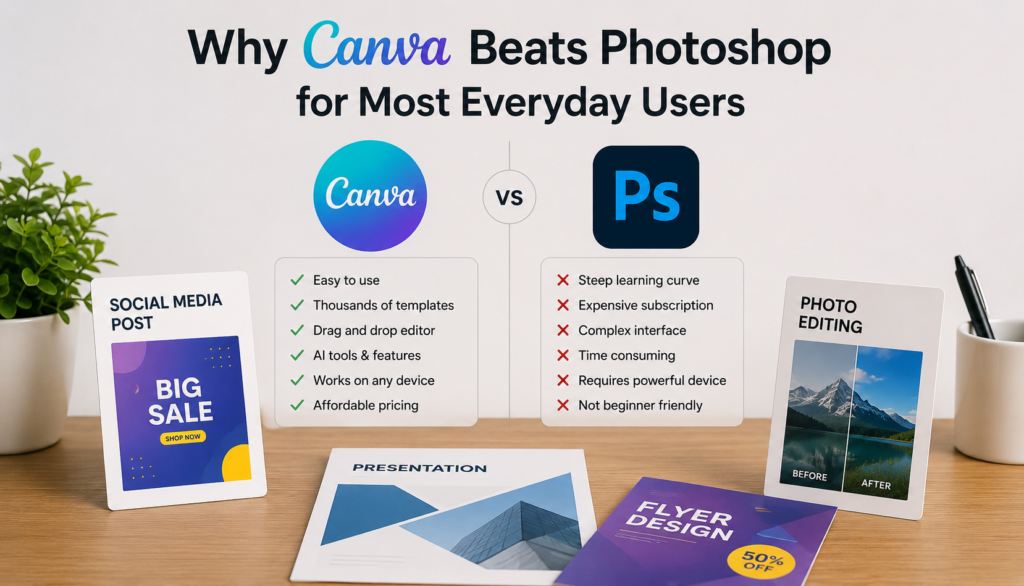
Canva became more popular because it solved the problems that everyday users actually faced. Most people don’t need advanced photo manipulation or complex design workflows. They simply want to create attractive visuals quickly for social media, business presentations, YouTube thumbnails, resumes, or marketing campaigns. Canva delivers exactly that experience. Its intuitive interface, extensive template collection, and AI-assisted tools reduce design time dramatically, making professional-looking content accessible even to complete beginners without any formal design education.
Simplicity Over Complexity
Photoshop offers incredible creative freedom, but that flexibility comes with a steep learning curve. Canva removes unnecessary complexity by presenting only the tools most users actually need. This simplified experience allows beginners to focus on creating content instead of learning technical editing techniques.
Ready-Made Templates and Faster Workflow
Canva includes hundreds of thousands of professionally designed templates covering nearly every industry and use case. Instead of designing from scratch, users simply customize an existing layout. This approach saves valuable time and helps maintain consistent visual quality across business, educational, and personal projects.
Ease of Use Comparison: Canva Wins for Beginners
Ease of use is one of the biggest reasons Canva has surpassed Photoshop among non-designers. Most first-time users can create polished graphics within minutes because the interface is clean, intuitive, and organized around simple actions. Photoshop requires users to understand layers, masks, adjustment tools, selections, blending modes, and many advanced concepts before producing professional results. Canva eliminates that complexity by guiding users through a streamlined editing process that prioritizes speed, accessibility, and productivity over technical precision.
User Interface Comparison
Canva’s interface emphasizes visual simplicity with clearly labeled menus, drag-and-drop functionality, and searchable templates. Photoshop provides extensive professional controls, but its workspace can overwhelm beginners due to the large number of panels, editing tools, and advanced customization options available.
Learning Curve Comparison
According to Adobe’s own learning resources, Photoshop requires continuous training to master its professional features. Canva users often become productive within their first session because most editing functions are self-explanatory. This shorter learning curve makes Canva especially attractive for students, entrepreneurs, and small businesses.
💚 You might also like:Professional Web Design Solutions in the Netherlands | DMA Netherlands
Features That Made Canva More Popular Than Photoshop
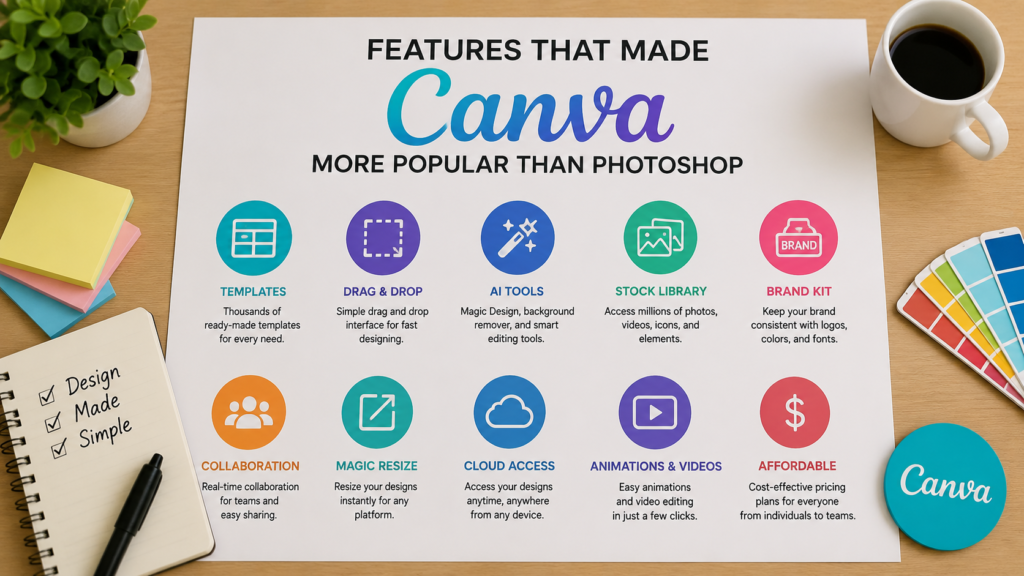
Canva’s success isn’t based on simplicity alone. The platform continuously introduces practical features that help users complete real-world design tasks faster. AI-powered tools, collaboration options, built-in stock media, brand management, and one-click resizing have transformed Canva into a complete content creation platform rather than just a graphic design tool. According to Canva, billions of designs are created annually using its platform, demonstrating how these productivity-focused features resonate with modern users across industries and experience levels.
AI-Powered Design Tools
Canva’s Magic Design, Magic Write, Background Remover, and AI image generation features automate tasks that previously required advanced editing knowledge. These tools help users generate designs, edit images, remove backgrounds, and produce marketing content much faster than traditional manual workflows.
Collaboration and Brand Management
Unlike traditional desktop software, Canva was built with teamwork in mind. Shared folders, Brand Kits, commenting, approval workflows, and cloud storage allow marketing teams and businesses to collaborate efficiently from anywhere. These capabilities make Canva particularly valuable for remote organizations and growing brands.
Canva vs Photoshop Feature Comparison
Both Canva and Photoshop offer impressive capabilities, but they excel in different areas. Canva prioritizes speed, collaboration, templates, and ease of use, making it ideal for everyday content creation. Photoshop remains unmatched for professional photo editing, digital illustration, advanced compositing, and creative precision. Choosing between them depends on whether your priority is efficiency or maximum creative control. Understanding each platform’s strengths helps users invest their time and money in the software that best supports their personal or professional objectives.
Where Canva Excels
Canva performs exceptionally well for social media graphics, presentations, business documents, marketing campaigns, YouTube thumbnails, resumes, and team collaboration. Cloud access, AI tools, template libraries, and one-click editing significantly improve productivity while reducing the technical skills required to produce attractive designs.
Where Photoshop Still Leads
Photoshop continues to dominate professional image editing through advanced layer management, precise masking, color correction, RAW photo editing, compositing, digital painting, and extensive plugin support. Creative professionals who require complete editing flexibility still consider Photoshop the industry benchmark for high-end visual production.
When Photoshop Is Still the Better Choice
While Canva has become the preferred platform for millions of users, Photoshop remains the gold standard for professional creative work. It offers unmatched precision, advanced editing tools, and complete creative control that Canva simply cannot replicate. According to Adobe, Photoshop is used by photographers, designers, and creative professionals worldwide for everything from magazine covers to commercial advertising campaigns. If your work involves high-end image editing, complex visual effects, or print-ready production, Photoshop continues to be the better investment despite its steeper learning curve.
Professional Editing and Creative Precision
Photoshop gives users complete control over every pixel through advanced layers, masks, blending modes, smart objects, and professional retouching tools. These features allow designers to create highly detailed artwork, perform flawless photo manipulation, and produce commercial-quality visuals that meet industry standards.
Best for Professional Design Workflows
Creative agencies, photographers, publishers, and digital artists rely on Photoshop because it supports advanced color management, RAW image processing, high-resolution printing, and integration with other Adobe Creative Cloud applications. These professional capabilities make Photoshop indispensable for demanding creative projects.
💚 You might also like:Why Businesses in the UAE Are Investing in ERP and Cloud Transformation
Which Users Benefit Most from Canva?
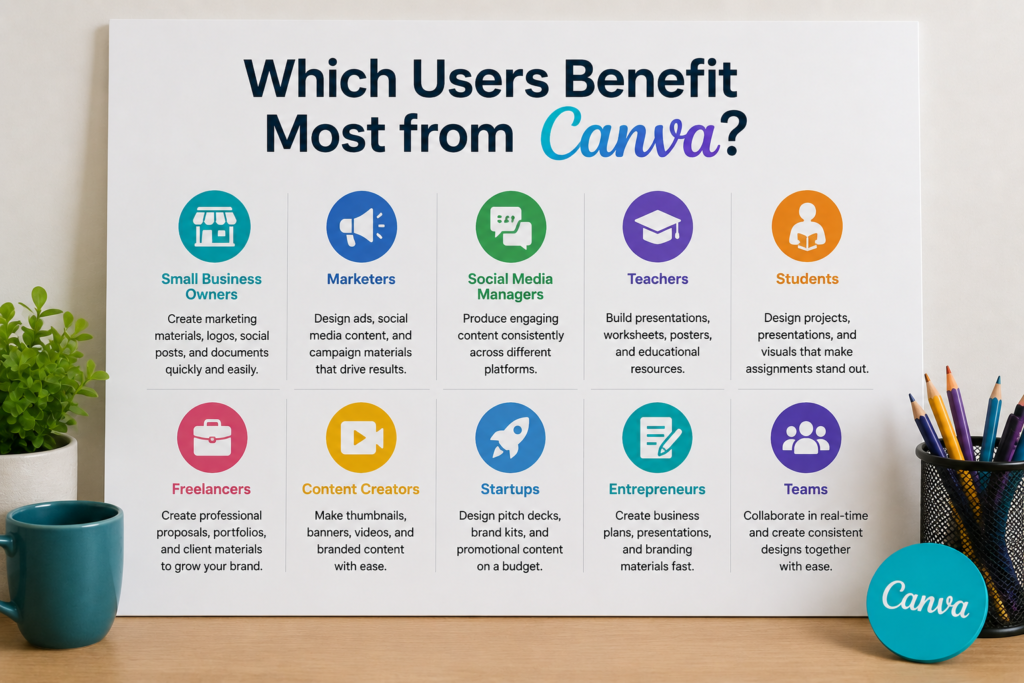
Canva was designed for people who want professional-looking designs without spending years mastering graphic design software. Its intuitive interface, AI-powered features, and extensive template library make it an ideal choice for individuals and businesses looking to create content quickly. Whether you’re running a small business, managing social media, teaching online classes, or building a personal brand, Canva helps you produce polished visuals efficiently. This accessibility explains why Canva has become one of the world’s fastest-growing visual communication platforms.
Perfect for Businesses and Content Creators
Small business owners, marketers, bloggers, YouTubers, and freelancers use Canva to design social media posts, advertisements, presentations, email graphics, and promotional materials. The platform significantly reduces production time while maintaining a professional appearance, making it ideal for fast-paced digital marketing environments.
Excellent for Students, Teachers, and Beginners
Educators and students benefit from Canva’s ready-made presentation templates, infographics, worksheets, and educational resources. Since no prior design experience is required, beginners can confidently create attractive visual content for school projects, online learning, or professional development with minimal effort.
Canva vs Photoshop Pricing: Which Offers Better Value?
Pricing plays a significant role when choosing design software, especially for freelancers, startups, and small businesses. Canva offers a generous free plan along with affordable premium subscriptions that include AI tools, Brand Kits, and millions of premium assets. Photoshop, however, is available through Adobe Creative Cloud subscriptions, providing access to industry-leading professional features. For most casual users, Canva delivers exceptional value, while Photoshop remains worthwhile for professionals who require advanced creative capabilities and specialized editing tools.
Canva Offers Better Value for Everyday Users
The free version of Canva provides enough features for many personal and business projects. Canva Pro adds premium templates, Magic Studio AI tools, Brand Kits, and advanced collaboration features at a cost that remains affordable for individuals and growing teams seeking maximum productivity.
Photoshop Justifies Its Professional Cost
Although Photoshop requires a recurring subscription, its advanced editing capabilities, Creative Cloud integration, and professional workflow tools justify the investment for photographers, designers, advertising agencies, and creative professionals who rely on precision and high-quality production every day.
Final Verdict: Has Canva Really Beaten Photoshop for Most Users?
The answer depends on who the “most users” are. For everyday creators, entrepreneurs, students, marketers, and businesses, Canva has clearly become the more practical choice because it prioritizes speed, simplicity, collaboration, and accessibility. Photoshop still dominates professional image editing and creative production, but its advanced capabilities exceed the needs of the average user. As AI continues transforming digital design, Canva’s user-friendly approach positions it as the preferred platform for millions of people who value efficiency over technical complexity.
Who Should Choose Canva?
Choose Canva if your primary goal is creating social media graphics, presentations, marketing materials, business documents, or visual content quickly. Its intuitive interface, AI-powered features, and collaborative tools help users produce professional-quality designs without requiring extensive design knowledge or technical expertise.
Who Should Choose Photoshop?
Photoshop is the better choice for photographers, graphic designers, digital artists, and creative professionals who require advanced editing precision, professional retouching, complex compositing, and complete creative control. For commercial design and high-end visual production, Photoshop remains the industry benchmark.
Frequently Asked Questions
Is Canva replacing Photoshop?
Not entirely. Canva has replaced Photoshop for many everyday design tasks like social media graphics, presentations, and marketing materials. However, Photoshop remains the preferred choice for professional image editing, digital art, and complex creative projects.
Why do beginners prefer Canva over Photoshop?
Beginners prefer Canva because it has a simple drag-and-drop interface, thousands of ready-made templates, and AI-powered design tools. Unlike Photoshop, users can create professional-looking graphics without learning advanced editing techniques.
Can Canva do everything Photoshop does?
No. Canva excels at fast content creation and collaborative design, but it lacks Photoshop’s advanced features, such as detailed photo retouching, layer-based editing, complex compositing, and professional color correction.
Is Canva good enough for professional designers?
Yes, for many projects. Professional designers often use Canva for presentations, social media content, client mockups, and marketing materials. However, they still rely on Photoshop for advanced editing and high-end creative work.
Which platform is better for social media graphics?
Canva is generally the better option for social media because it offers optimized templates, one-click resizing, Brand Kits, AI tools, and a much faster workflow than Photoshop.
Can businesses rely only on Canva?
Many startups and small businesses successfully use Canva as their primary design platform. However, businesses that require advanced branding, commercial photography, or print production may still need Photoshop for specialized tasks.
Should I learn Canva before Photoshop?
For most people, yes. Learning Canva first helps you understand design fundamentals while creating professional content immediately. If your career later requires advanced editing, transitioning to Photoshop becomes much easier.
Is Canva Pro worth paying for?
Yes. Canva Pro offers excellent value by unlocking premium templates, AI-powered Magic Studio tools, Brand Kits, background removal, millions of stock assets, and advanced collaboration features that significantly improve productivity.
Conclusion
Canva has transformed graphic design by making professional-quality content creation accessible to everyone. Its intuitive interface, AI-powered features, affordable pricing, and collaborative workflow have helped it outperform Photoshop for the majority of everyday users. Nevertheless, Photoshop continues to lead in professional photography, advanced image manipulation, and commercial creative production, where precision and complete editing control are essential.
Rather than viewing them as direct competitors, think of Canva and Photoshop as tools built for different audiences. If you prioritize speed, simplicity, and efficiency, Canva is likely your best choice. If your work demands advanced creative capabilities and professional-grade editing, Photoshop remains the industry leader. Ultimately, selecting the right platform depends on your experience level, creative goals, and the type of projects you plan to create.
✨ Don’t stop here, follow MyPasokey for daily upgrades.