
Best Free Windows Software for Daily Use
Introduction to Best Free Windows Software for Daily Use
Windows is still the most widely used operating system in the world, and one big reason is the massive ecosystem of free software available for everyday tasks. From basic office work to entertainment, security, and system maintenance, free Windows software can easily cover your daily needs without spending a single dollar. In this guide, we’ll explore the best free Windows software for daily use that actually delivers value. Whether you are a student, professional, or casual user, these tools can make your daily workflow smoother, faster, and more efficient without compromising performance or security.
Why Free Software Is Ideal for Everyday Windows Users
Free software is no longer limited or unreliable like it used to be years ago. Today, many free Windows applications are powerful enough to replace paid alternatives for most users. The biggest advantage is obvious zero cost but it goes beyond that. Free tools often receive regular updates, strong community support, and better flexibility. For daily users, this means you can write documents, browse safely, manage files, and enjoy media without worrying about subscriptions. Free software is ideal for anyone who wants practical solutions without long-term financial commitment.
How We Selected the Best Free Windows Software
Choosing the right free software is not about listing random tools it’s about usefulness, reliability, and user experience. We analyzed top competitor articles, user reviews, and long-term performance to shortlist only the most practical Windows software. Each tool included in this list serves a clear daily purpose and works smoothly on modern Windows systems. We focused on software that balances simplicity with functionality, so even non-technical users can use it confidently while still meeting professional-level needs.
Criteria Used to Evaluate Free Windows Apps
Every software was evaluated using strict criteria to ensure quality. We considered ease of use, real-world performance, security standards, update frequency, and community trust. Software that showed intrusive ads, had hidden limitations, or poor optimization was excluded. Preference was given to tools that are lightweight, stable, and widely recommended by experts. This approach ensures that the apps listed are not just free but genuinely useful for everyday Windows users.
Essential Productivity Software for Windows
Productivity software is the backbone of daily computer use, especially for students and professionals. Free productivity tools for Windows now offer features that rival paid office suites and task managers. From writing documents and creating spreadsheets to organizing notes and managing tasks, free apps can handle it all. These tools help you stay focused, organized, and efficient throughout the day. For daily workflows, reliable productivity software ensures you spend less time struggling with tools and more time getting real work done.
Best Free Office & Document Management Tools
Managing documents is a daily task for most Windows users, and free office tools make it easy. Applications like free office suites allow you to create, edit, and share documents without compatibility issues. These tools support popular file formats, offer cloud integration, and include features such as templates and collaboration options. For everyday use, free document management software provides everything needed for writing reports, assignments, or official documents without paying for expensive licenses.
You Might also Like How to Speed Up a Slow Android Phone (Proven Tips)
Top Free Browsers for Safe and Fast Internet Use
A fast and secure web browser is essential for daily Windows use. Free browsers today focus on speed, privacy, and customization. They offer advanced security features, built-in tracking protection, and support for thousands of extensions. Whether you’re browsing casually, working online, or streaming content, the right browser improves performance and protects your data. Choosing a reliable free browser ensures smooth internet usage while keeping your personal information safe from online threats.
Best Free Communication & Video Calling Software
Communication software has become a daily necessity, especially with remote work and online collaboration. Free communication tools for Windows allow users to send messages, make voice calls, and host video meetings with ease. These applications offer stable connections, screen sharing, and cross-platform support. For everyday use, free communication software helps you stay connected with colleagues, friends, and family without time limits or hidden charges, making it an essential part of any Windows setup.
Must-Have Free Media Players for Windows
Media consumption is a daily activity for most Windows users, whether it’s watching videos, listening to music, or streaming content. A good free media player should support multiple file formats, run smoothly, and offer customization options. Modern free media players for Windows are lightweight, ad-free, and capable of handling high-quality audio and video files without lag. They eliminate the need for installing multiple codecs and provide a seamless playback experience. For daily use, a reliable media player ensures you can enjoy entertainment without technical interruptions.
Free Photo and Graphic Design Software
Photo editing and graphic design are no longer limited to professionals with expensive tools. Free Windows software now allows everyday users to edit images, design social media graphics, and create visual content with ease. These tools offer essential features like layers, filters, text editing, and export options. For daily users, free design software is perfect for quick edits, creative projects, or online content creation. They strike a balance between simplicity and functionality, making design accessible without a steep learning curve.
Best Free Video Editing Software for Beginners
Video content is everywhere, and beginners often need simple yet capable tools to edit videos on Windows. Free video editing software focuses on ease of use while offering essential features like trimming, transitions, text overlays, and basic effects. These tools are ideal for daily tasks such as editing personal videos, YouTube content, or short clips. For beginners, free editors remove complexity and allow creative expression without expensive subscriptions, making them perfect for learning and daily video editing needs.
Free Audio Recording and Editing Tools
Audio tools are useful for podcasts, voice notes, music editing, and online meetings. Free audio software for Windows provides clean recording, waveform editing, and noise reduction features that are sufficient for daily use. These tools are widely used by beginners and professionals alike due to their reliability and open accessibility. Whether you are recording a lecture, editing a podcast, or improving sound quality, free audio editing software offers impressive control without complicated setups or licensing costs.
System Utility Software to Improve Windows Performance
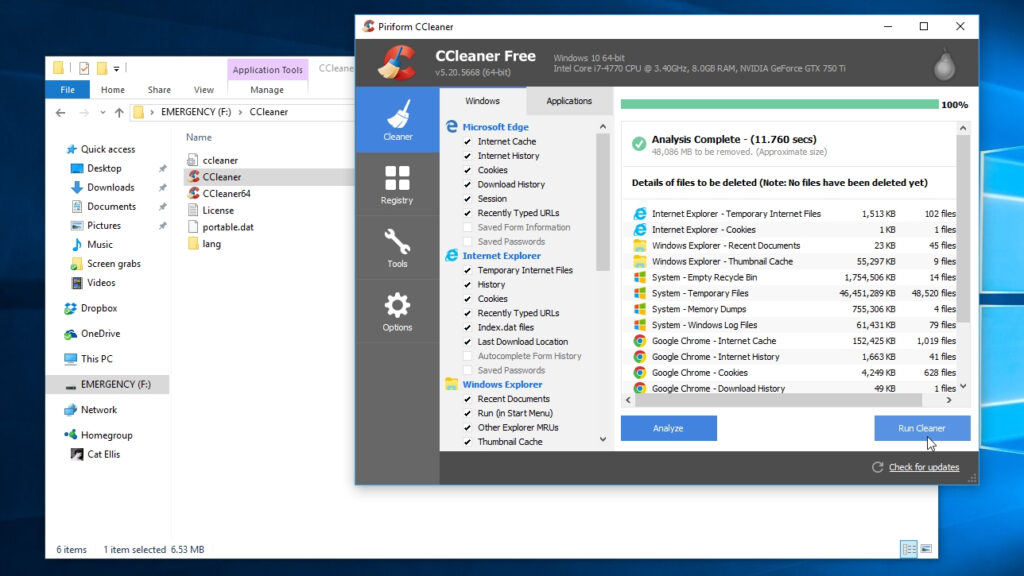
System utility software plays a key role in keeping your Windows PC fast and responsive. Over time, unnecessary files, background processes, and poor storage management can slow down performance. Free system utilities help users clean up disk space, monitor system health, and manage startup programs. These tools are especially useful for daily users who want consistent performance without technical hassle. With the right utilities, your system remains optimized, stable, and efficient for everyday tasks.
Disk Cleanup, File Compression, and System Monitoring Tools
Disk cleanup tools remove junk files and free up valuable storage space, while file compression software helps reduce file sizes without data loss. System monitoring tools provide real-time insights into CPU, RAM, and disk usage. Together, these utilities give users better control over system performance. For daily Windows use, they help prevent slowdowns, improve efficiency, and extend the life of your system by maintaining optimal resource usage.
Best Free Antivirus and Security Software
Security is non-negotiable for daily Windows users, especially with increasing online threats. Free antivirus software now offers real-time protection, malware detection, and safe browsing features. These tools protect your system from viruses, ransomware, and phishing attacks without affecting performance. For everyday use, free security software provides a strong first line of defense. It ensures your personal data, files, and online activities remain protected without requiring paid upgrades or complicated configurations.
Privacy Protection and Password Management Tools
Online privacy is a growing concern, and free tools make it easier to stay secure. Privacy-focused software blocks trackers, manages passwords, and protects sensitive information. Free password managers help users store and auto-fill login details securely, reducing the risk of weak or reused passwords. For daily Windows users, these tools simplify security practices while improving online safety. Using privacy and password management software ensures a safer digital experience without constant manual effort.
File Management and Backup Software for Daily Use
Efficient file management is essential for keeping your Windows system organized and stress-free. Free file management and backup software allows users to sort files, create automatic backups, and recover data when needed. These tools help prevent accidental data loss and make it easier to manage large folders. For daily use, reliable backup software ensures your important documents, photos, and work files remain safe. With simple interfaces and scheduled backups, free tools make data protection effortless for everyday Windows users.
Free PDF Readers and Editors for Windows
PDF files are commonly used for work, study, and official documents, making PDF software a daily necessity. Free PDF readers and editors for Windows allow users to view, annotate, and fill forms without limitations. Many free tools also support text highlighting, digital signatures, and basic editing features. For everyday users, these applications eliminate the need for expensive subscriptions while offering practical functionality. They are ideal for reading reports, signing documents, or making quick edits efficiently.
Cloud Storage and File Sharing Tools
Cloud storage has become a standard part of daily computing, and free tools offer generous storage for personal use. These applications allow users to store files online, sync data across devices, and share documents securely. Free cloud storage software is especially useful for remote work and collaboration. For daily Windows users, cloud tools provide easy access to files anytime, anywhere. They also act as an extra backup layer, reducing the risk of permanent data loss.
You Might also Like Best Free AI Tools for Content Writing in 2026
Open-Source Software Benefits for Windows Users
Open-source software plays a major role in the free software ecosystem. These programs are developed by global communities, ensuring transparency, security, and continuous improvement. For Windows users, open-source tools offer flexibility and long-term reliability without licensing restrictions. Many daily-use applications are open-source, making them trustworthy and customizable. Choosing open-source software also means fewer privacy concerns and better control over updates, making it a smart option for users who value freedom and stability.
Common Mistakes to Avoid When Using Free Software
While free software is highly beneficial, users often make avoidable mistakes. Downloading tools from untrusted sources, ignoring updates, or installing unnecessary add-ons can harm system performance. Another common mistake is using too many overlapping applications for the same task. For daily Windows users, it’s important to choose reliable software, keep it updated, and avoid clutter. Being mindful of these mistakes ensures a smooth and secure experience with free Windows software.
Final Thoughts on Choosing the Best Free Windows Software
Free Windows software has evolved into powerful, reliable solutions for daily use. With the right selection, users can handle productivity, security, entertainment, and system maintenance without spending money. The key is choosing software that fits your needs and works efficiently on your system. By using trusted free tools, you can build a complete Windows setup that is fast, secure, and user-friendly. Smart choices today lead to a better daily computing experience.
Read More Informative Information At Mypasokey